Overview
JumpServer supports connections through SSH protocol using tools like Xshell. In some cases, users may want to connect to the jumpserver using other tools, such as VScode or PyCharm. This article explains how to connect to the jumpserver and its assets using these SSH terminals.
Command Description
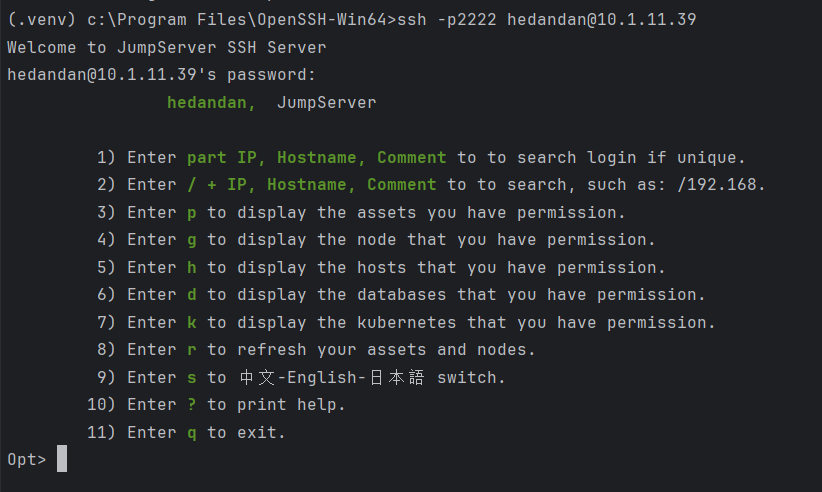
Connection to JumpServer
ssh -p2222 JumpServerUsername@JumpServerHostIPParameter description:
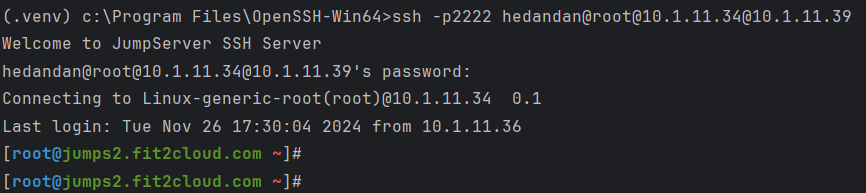
Connection to SSH assets of JumpServer
ssh -p2222 JumpServerUsername@systemUsername@AssetIP@JumpServerHostIPParameter description:
Note: The password to enter is the password for the JumpServerUsername logging into the JumpServer.
When there are multiple assets with the same IP address, a table will be displayed for user selection. Enter the asset ID to connect.

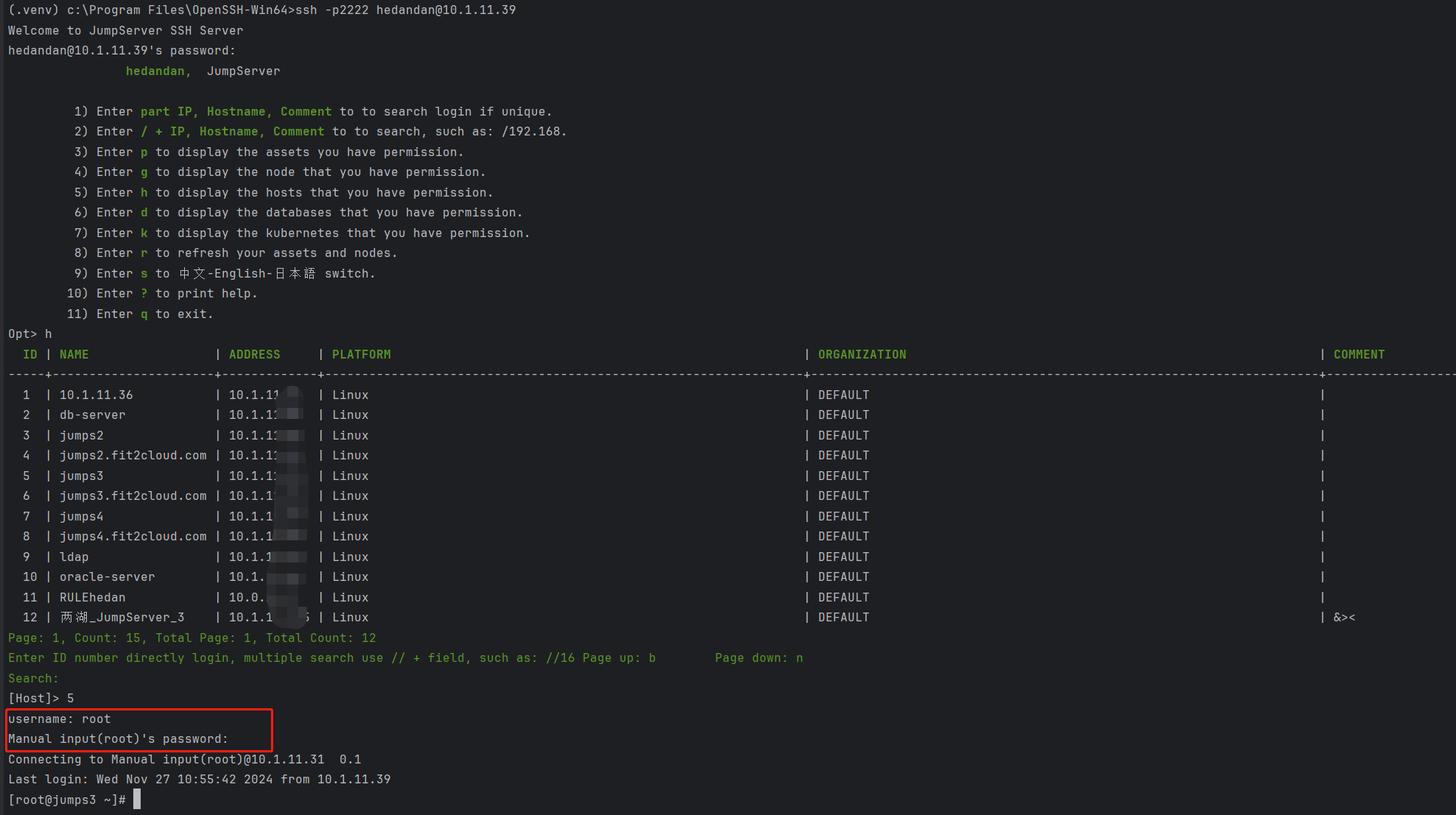
Note: Command line connection to jumpserver assets does not support manual username and password input scenarios.
a. When the authorization rule account is a direct connection account, you can connect to the asset by directly entering the asset ID.
b. When the authorization rule requires manual input, you need to manually enter the asset's username and password when entering the asset ID.
The example below shows the scenario of manual username and password input.