Introducing JumpServer V5: One Client for Every Asset, AI Built In
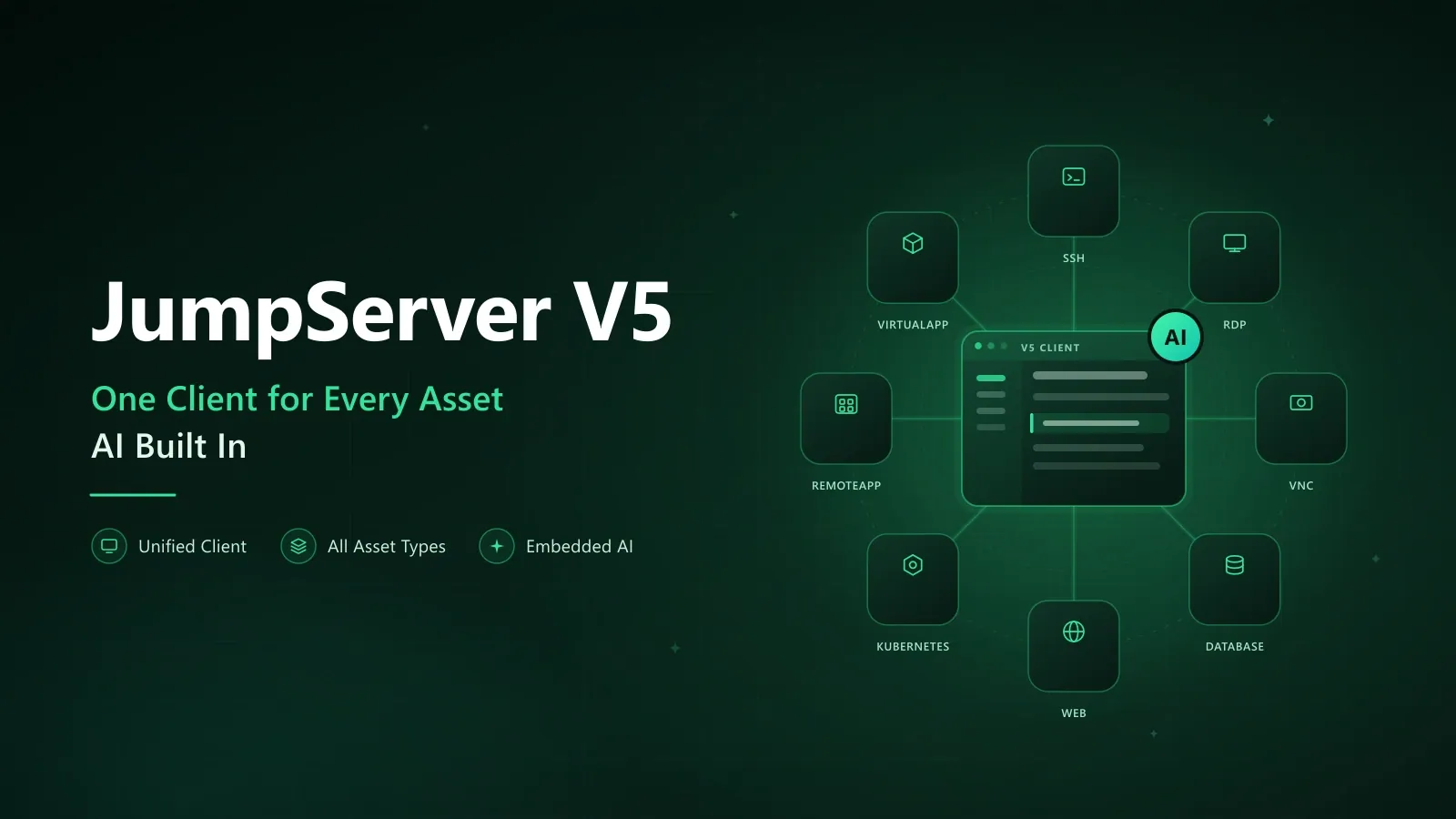
Ten years of iteration, from V1 to V4. Today JumpServer ships v5.0.0 and formally enters the V5 era, built around two themes that reflect how security and operations teams actually work: a fully upgraded native client that reaches every asset through one interface, and AI capabilities embedded in the bastion host rather than bolted on top of it.
This article covers what V5 delivers, how the product evolved to get here, and what the change means for teams running privileged access management at scale.
What Is New in JumpServer V5
Two themes define the release.
- One client for all assets. The V5 native client removes the need to switch tools per asset type. SSH, RDP, VNC, databases, Web sites, Kubernetes, RemoteApp, and VirtualApp all open through the same client, with consistent navigation and session handling.
- AI built into the bastion host. Starting with V5, AI capabilities are folded into the platform itself: smart command recommendations, operation risk alerts, and automated audit reports.
JumpServer v5.0.0 is the first step in the V5 line, not the finish line. The direction for the version is that AI stops being a separate product you integrate and becomes a native part of the access path.
The Road to V5: A Decade of Iteration
Since the first line of code was written in 2014, JumpServer has been shaped by user feedback across ten years and four major versions. That history explains why V5 looks the way it does: the earlier releases solved deployment, interface, and depth. V5 solves reach.
| Release | Date | Focus | Key additions |
|---|---|---|---|
| V1 | March 2018 | A better open-source bastion host for hybrid cloud | Distributed deployment with unlimited scaling, Windows RDP support, Docker-based deployment, session recordings and command logs written to cloud storage |
| V2 | June 2020 | Interface rebuild | Six months of front-end work rewriting the UI in Vue and ElementUI |
| V3 | February 2023 | Depth in experience and core capability | Designer-led interface, assets and applications managed together, rebuilt account model with account templates, centralized authorization, automatic RemoteApp deployment |
| V4 | July 2024 | Global reach and reliability | Refined typography and layout, reviewed English localization, installer reduced from 2.7 GB to 1 GB, consolidated component architecture, wider database support, system component monitoring |
| V5 | September 2026 | Unified client and embedded AI | One client for every asset type, AI capabilities shipping inside the platform |
V1, March 2018: An Open-Source Bastion Host for Hybrid Cloud
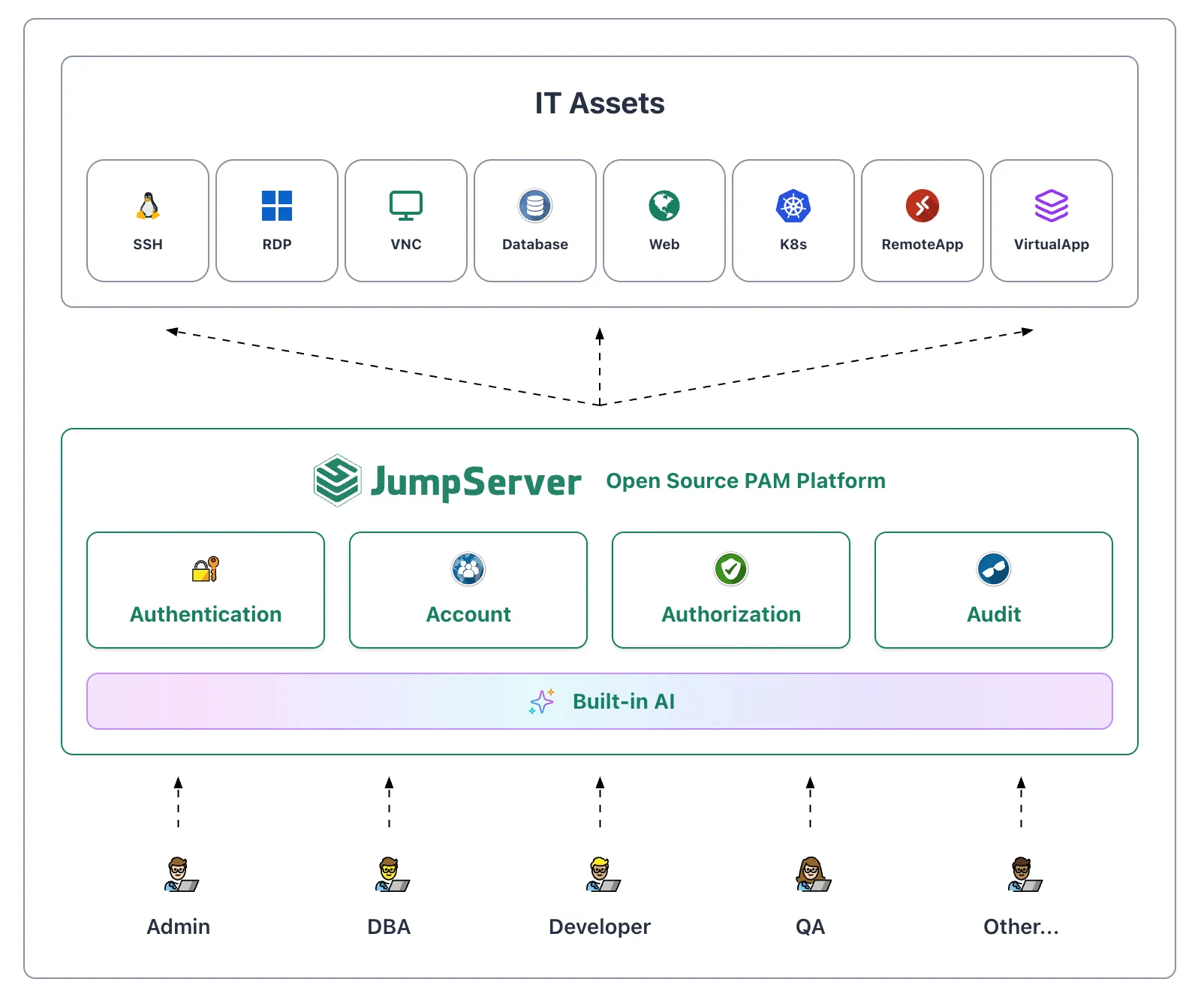
V1 was the first milestone. It was fully open source and aligned with the 4A model of authentication, authorization, account, and audit, aimed at delivering a bastion host that worked well in hybrid cloud environments.
- Distributed deployment. Unlimited horizontal scaling so organizations could manage hybrid cloud assets without a ceiling.
- Windows support. Alongside the existing Linux terminal, V1 added an RDP terminal solution for Windows assets.
- Containerized deployment. A Docker-based installation path that simplified both installation and upgrades.
- Cloud storage. Session recordings and command records could be written directly to cloud storage services.
V2, June 2020: A Rebuilt Interface
V2 was an experience overhaul. Six months of effort went into rewriting the front end with Vue and ElementUI, giving users a new application experience while keeping familiar workflows intact.
- Rebuilt web front end. A new architecture made interaction smoother and the interface more consistent, and laid the groundwork for later optimization.
- Optimization and bug fixes. The core was refined and known issues were resolved, improving overall stability.
V3, February 2023: Depth in Experience and Core Capability
V3 took a "refine both inside and out" approach, polishing both user experience and core function.
- Experience upgrade. Professional designers redesigned the interface, making dashboard data more intuitive and interactions more fluid.
- Asset and account management rebuilt. Assets and applications were merged into a single management model, the account system was rebuilt, and account templates were introduced.
- Centralized permission control. Asset authorization, asset login, and command filtering were consolidated so permission control became easier to manage.
- Automatic RemoteApp deployment. Remote applications received a major update with support for automatic deployment and maintenance, a foundation for later expansion.
V4, July 2024: Going Global
V4 marked the start of JumpServer's move toward a global audience, with improvements to both usability and reliability.
- A new interface experience. Typography and menu layout were refined for a more consistent, comfortable visual experience.
- Stronger internationalization. English interface copy was carefully reviewed to serve users outside China.
- A smaller installer. The Community Edition package dropped from 2.7 GB to 1 GB, cutting download and installation time.
- Architecture and feature optimization. The component architecture was consolidated, backend database support was extended, and system component monitoring was added.
One Client, Every Asset
In V5 the client experience is rebuilt from the ground up. The problem it solves is simple: after a decade of adding protocols, most teams ended up with one tool per asset type. A terminal here, an RDP client there, a separate database client, a browser for web assets, another tool again for Kubernetes.
The V5 native client collapses that stack. SSH, RDP, VNC, databases such as MySQL, Redis, and Oracle, Web sites, Kubernetes clusters, RemoteApp, and VirtualApp all open from the same client, with the same navigation model and the same session handling.
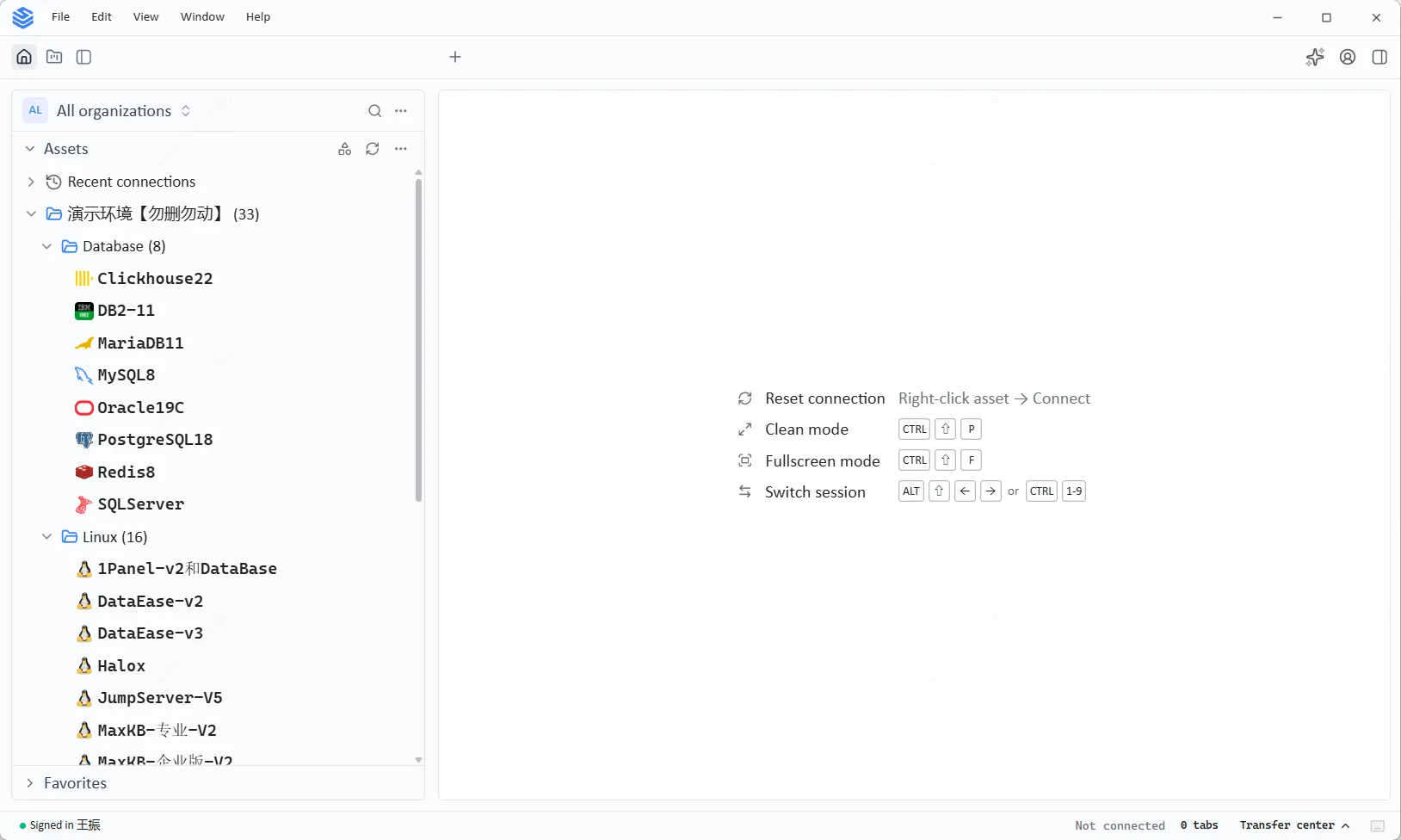
Figure 1. The V5 asset panel organizes assets by type. Hosts, databases, web sites, and cloud services are collected into a single tree, so operators reach any target without leaving the client.
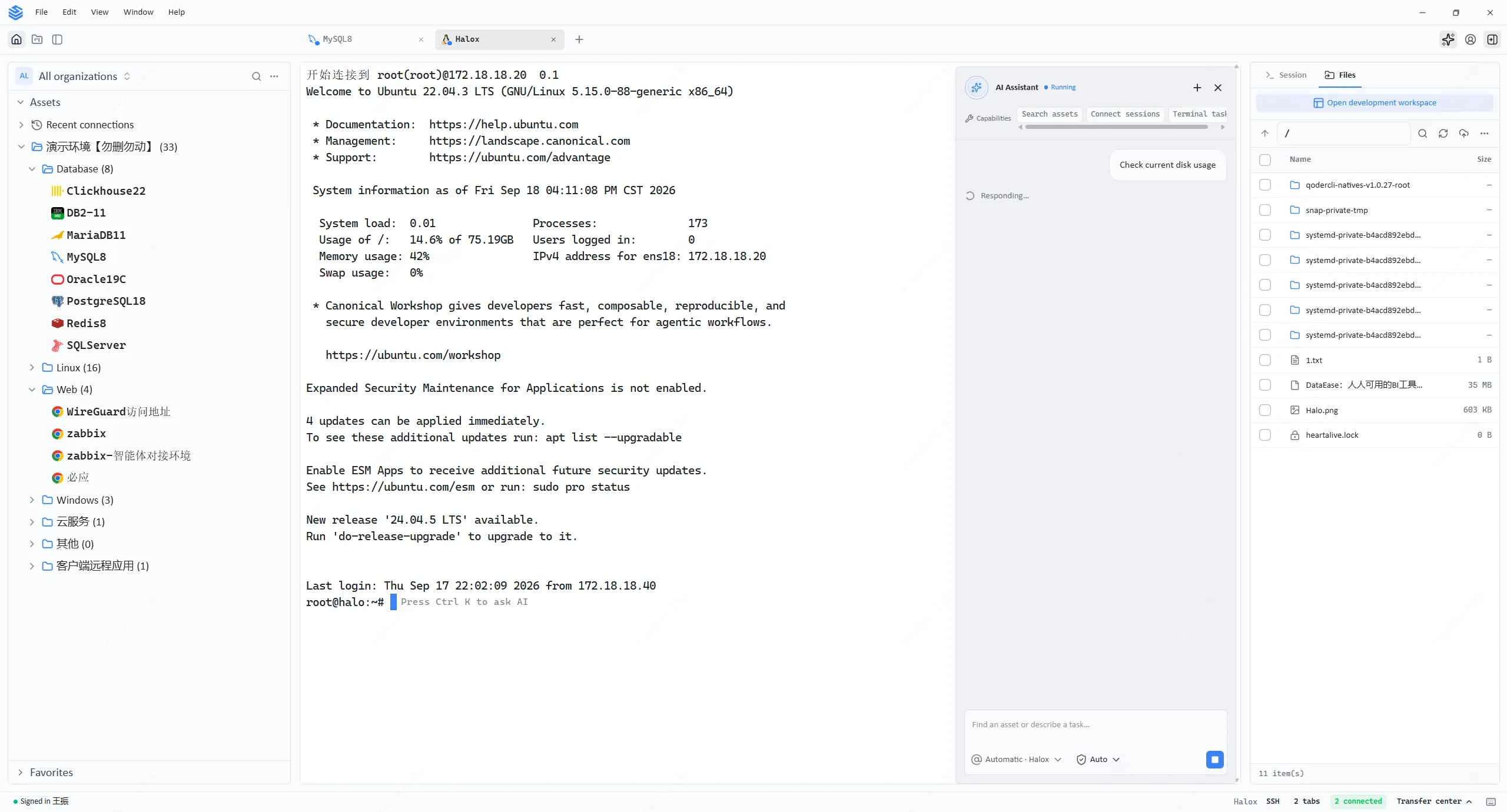
Figure 2. The V5 native client with its unified asset tree and keyboard-driven navigation. Connection reset, clean mode, full screen, and session switching are all reachable from the keyboard.
For administrators, the practical effect is that onboarding and documentation shrink to one interface. For security teams, it means one place where sessions are established, and therefore one place where they are recorded and available for replay.
AI Built Into the Platform
AI is changing how operations work, and V5 is where JumpServer folds that into the product. Rather than adding a chatbot beside the platform, the AI capabilities sit inside the access path where the context already exists: which asset, which account, which session.
The client ships with an assistant that can inspect a host and summarize what is running on it, which turns a manual inventory pass into a single request.
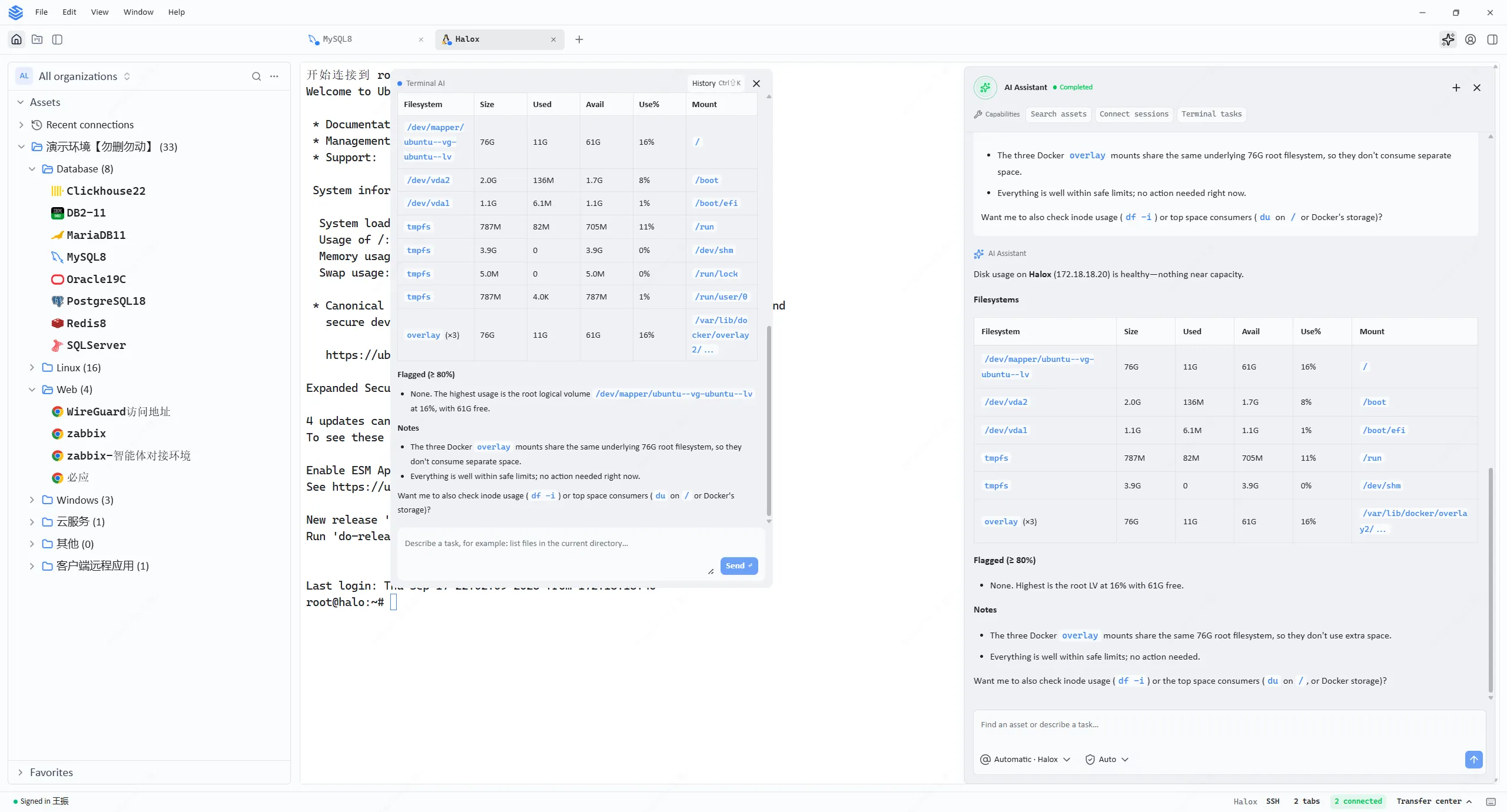
Figure 3. The built-in AI assistant analyzing a host in the V5 client. It reports running services, process counts, CPU distribution, and systemd units, then summarizes the findings and notes that the pass is read-only.
V5 groups the direction into three capability pillars.
AI ASSIST: Smart Command Recommendations
AI ASSIST reads the current asset and the surrounding context, then recommends commands that can be executed directly. The goal is to reduce both the cost of remembering syntax and the errors that come from getting it wrong.
AI GUARD: Operation Risk Alerts
AI GUARD identifies high-risk commands and anomalous operations and raises a warning before the impact lands. This is where AI stops being a convenience and starts being a control: the boundary between what is allowed and what is risky becomes explicit at the moment of the action, not in a report written after it.
AI AUDIT: Automated Audit Reports
AI AUDIT consolidates session and command records automatically and produces traceable audit summaries. Audit becomes something the platform generates rather than something an administrator assembles by hand at the end of a quarter.
The three pillars share one property that matters for regulated environments: they operate on data that already lives in JumpServer. The session recordings, command records, and asset context that feed the AI are the same records your compliance process already relies on.
Availability and Upgrade Path
JumpServer v5.0.0 is available now, with the Community Edition alongside the Enterprise Edition.
Upgrading from v4
Database migrations between v4 and v5 are continuous and forward-rolling, so any v4 release can move directly to v5 without extra prerequisite steps. If you are still on an early v4.0.0 build, upgrade to the latest v4.10.x LTS release first, then move to v5.
Online upgrade. If JumpServer was installed with the one-line command, download the v5.0.0 installer package from the GitHub release and run the upgrade script:
cd /opt
wget https://github.com/jumpserver/installer/releases/download/v5.0.0/jumpserver-installer-v5.0.0.tar.gz
tar -zxvf jumpserver-installer-v5.0.0.tar.gz
cd jumpserver-installer-v5.0.0
./jmsctl.sh upgrade
./jmsctl.sh start
The full procedure is documented in the JumpServer upgrade guide. Release artifacts are listed on the GitHub release page.
Installing v5 on a New Server
On a clean 64-bit Linux server with at least 4 cores and 8 GB of memory, the quickstart installs the latest release in a single command:
curl -sSL https://github.com/jumpserver/jumpserver/releases/latest/download/quick_start.sh | bash
Then open http://<your-jumpserver-ip>/ and sign in with admin / ChangeMe. Change that password before exposing the instance to your network. The project README documents the same flow.
To evaluate V5 against your own environment, see the full feature list or start a free trial.
FAQ
What is new in JumpServer V5?
Two things. First, a rebuilt native client that reaches SSH, RDP, VNC, databases, Web sites, Kubernetes, RemoteApp, and VirtualApp through a single interface. Second, AI capabilities embedded in the platform: smart command recommendations, operation risk alerts, and automated audit reports.
Which asset types does the V5 native client support?
SSH, RDP, VNC, databases including MySQL, Redis, and Oracle, Web sites, Kubernetes clusters, RemoteApp, and VirtualApp.
Is JumpServer V5 still open source?
Yes. The core capabilities of JumpServer remain open source under the same model the project has followed since 2014. Some advanced, enterprise-grade features are available only in the Enterprise Edition and are not open sourced.
Does the built-in AI replace human review?
No. The AI capabilities operate on the same session and command data your existing process uses, and they surface recommendations, warnings, and summaries. The decisions, and the accountability for them, stay with your team.
JumpServer is the open-source bastion host and privileged access management platform used by thousands of organizations worldwide. Explore the feature set or start a free trial.