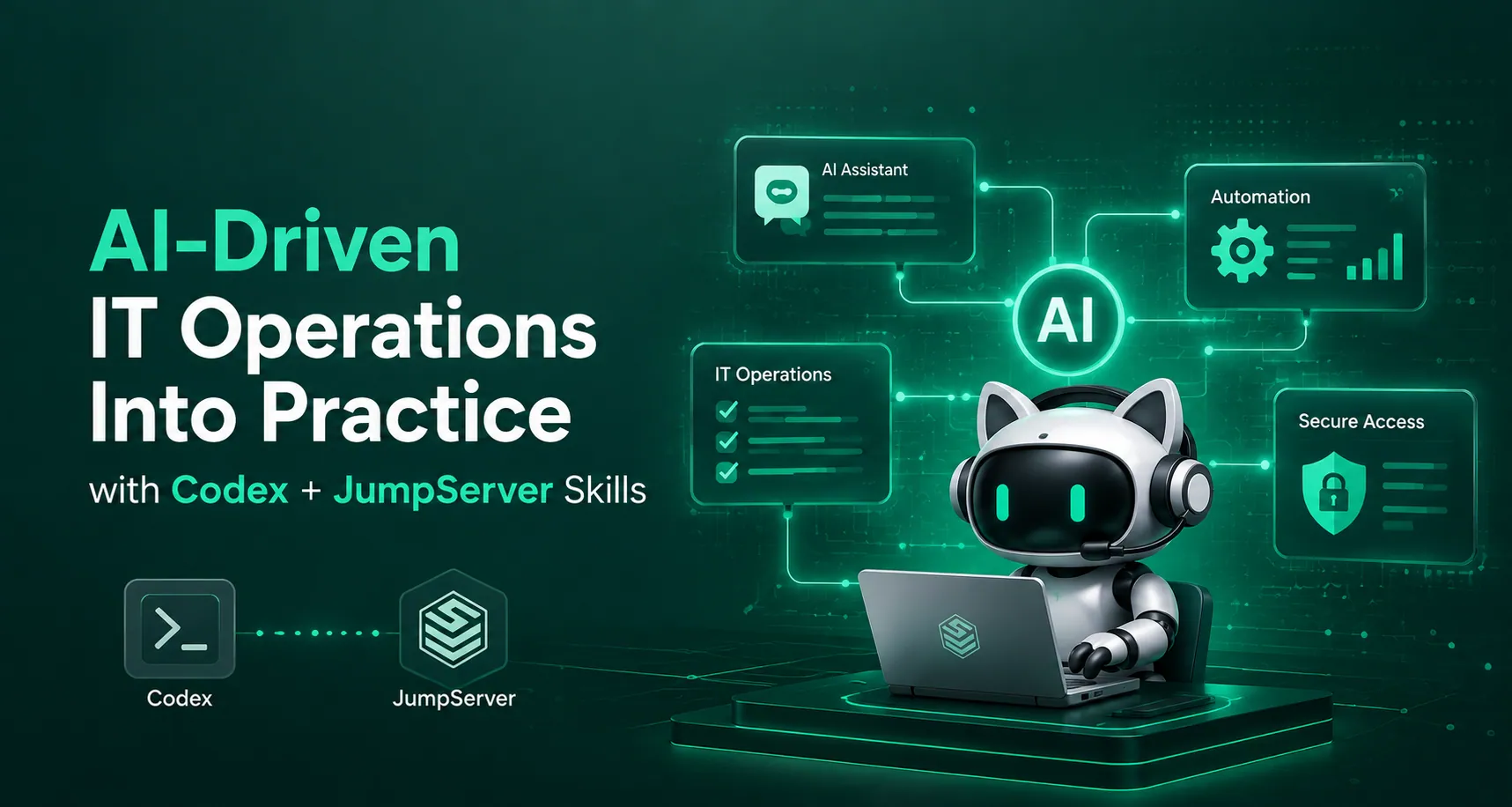
How to Put AI-Driven IT Operations Into Practice with Codex + JumpServer Skills
Deploying a Zabbix Agent on a single Linux server looks like a handful of commands. In reality it spans a whole chain of work: looking up the asset in a JumpServer bastion host, logging in to the server, installing and configuring the package, and then creating the host in the Zabbix frontend. Traditionally, an operator performs each step by hand. The workflow is repetitive, slow, and easy to get wrong.
Connect an AI agent such as Codex to JumpServer Skills and the picture changes. The operator describes the outcome in plain language:
"Install the Zabbix Agent on the Linux servers in the test environment and register them in Zabbix."

The agent parses the request, breaks it into steps, calls the right skills and scripts, verifies the result, and reports back. JumpServer Skills supplies the asset and permission context for the account in use. The agent never becomes a new privilege escalation path; it simply becomes a new entry point into the permission model you already run.
This article walks through the technical design, five typical scenarios, how the major AI agents compare for this job, and the exact steps to implement it.
1. The Joint Architecture for AI-Driven Operations
In the Codex + JumpServer Skills model, three layers work together.
| Layer | Role | What it does |
|---|---|---|
| AI agent (Codex) | Orchestration layer | Turns vague natural-language requests into concrete steps: asset lookup, environment check, change execution, result verification. Dispatches to skills, ops scripts, or third-party APIs. |
| JumpServer Skills | Permission and asset hub | Exposes only the servers, accounts, and operations that the current JumpServer account is authorized to use. Scope is enforced by JumpServer's own authorization system. |
| Ops scripts and external APIs | Execution endpoints | Perform the real work: software installation, config edits, Zabbix API calls, host creation. |
The agent sits at the top as a scheduler, not as a superuser. It can also generate scripts adapted to the environment it finds, but every script that goes out must declare its execution scope, its failure handling, and its success criteria before it runs.
1.1 Why the Permission Hub Matters
The single most important design decision is this: the agent does not hold credentials of its own. It authenticates to JumpServer with a dedicated service account and an Access Key / Secret Key pair. Everything it can see or touch is a direct consequence of what that account has been granted.
That means the blast radius of a bad decision is bounded by your existing authorization model. If the account cannot reach a host, the agent cannot reach it either, and the workflow terminates rather than looking for a workaround.
1.2 Security Guardrails
AI agents hallucinate. They issue wrong commands, match the wrong asset, and misread a failure. For that reason the whole design leans on JumpServer's authorization and audit system as the safety boundary.
- Least privilege. Use a dedicated service account and grant it only the assets the agent is allowed to touch. Never reuse a personal or shared admin account. Pair this with just-in-time access so standing privileges never accumulate.
- Human review for high-risk actions. Software installation, service restarts, and bulk configuration changes must be confirmed by a human before execution. Enforce the boundary with command ACLs that block high-risk commands.
- Full audit trail. Every operation runs through JumpServer, so session logs, command records, and session replay recordings are retained and traceable end to end.
- Credential hygiene. Never paste secrets into a chat prompt. If a credential is submitted by accident, rotate it and verify the operation log immediately.
Rule of thumb: let the agent read freely and write only with approval. Diagnostics and remediation should be two separate tasks.
2. Five Scenarios Where AI-Driven Ops Pays Off
Scenario 1: Deploy a Zabbix Agent and Register It for Monitoring
This is the reference workflow. It touches every layer of the stack.
Step 1: Submit the task in natural language
No keys, no tokens, no secrets in the prompt:
"Use jumpserver-skills to check whether 10.1.14.47 has the Zabbix Agent installed. If not, configure the Zabbix Agent and register this asset in the Zabbix server using the Zabbix Connector skill."

Step 2: Verify asset permission
Codex calls JumpServer Skills to list the Linux assets visible to the current account and matches on IP. If the account has no authorization for 10.1.14.47, the workflow stops. There is no fallback and no privilege escalation.
Step 3: Run pre-flight checks
Before installing anything, confirm the OS release, whether the agent is already present, the service state, and network reachability to the Zabbix server.
# OS and architecture
cat /etc/os-release
uname -m

# Is the agent already installed?
command -v zabbix_agent2 || echo "zabbix-agent2 not installed"
systemctl is-active zabbix-agent2 || echo "zabbix-agent2 not active"
ss -lntp | grep 10050 || echo "port 10050 not listening"

# Can we reach the Zabbix server?
timeout 3 bash -c 'cat < /dev/null > /dev/tcp/10.1.12.33/10051' \
  && echo "zabbix server reachable" || echo "zabbix server unreachable"
The pre-flight result determines what happens next. If the agent is already installed and healthy, do nothing. If the repository is unavailable or the network is blocked, report the blocker instead of pushing ahead.
Step 4: Install and configure
Once a human approves, the agent installs zabbix-agent2 for the detected OS version, writes the configuration, enables the service at boot, and starts it.
# /etc/zabbix/zabbix_agent2.conf
PidFile=/run/zabbix/zabbix_agent2.pid
LogFile=/var/log/zabbix/zabbix_agent2.log
LogFileSize=0
Server=10.1.12.33
ServerActive=10.1.12.33:10051
Hostname=10.1.14.47
HostMetadataItem=system.uname
Include=/etc/zabbix/zabbix_agent2.d/*.conf
A finished config is not a finished job. The workflow then checks the service state, the listening port, and the log to confirm the agent is not crash-looping on a bad Hostname, a network issue, or a file permission problem.
Step 5: Register the host in Zabbix
With the server side verified, the agent calls the Zabbix Connector to create the monitored host and set its host group, templates, and tags. The Zabbix API token used by the connector follows the same least-privilege rule: host management only.
Step 6: Return a verifiable report
The final output is a task report: target asset, changes actually applied, service state, Zabbix registration result, and any anomalies. An administrator can tell at a glance whether the loop is genuinely closed.
Scenario 2: Routine Server Inspection
Inspection is the safest place to start, because it is read-only.
"Inspect all Linux servers in the test environment."

The agent resolves the asset scope through JumpServer Skills, generates read-only commands, and aggregates results per host, flagging anything past a threshold. Restrict the allowed command set and explicitly forbid reading secret files or credential material.
Scenario 3: Zabbix Alert Triage and Assisted Analysis
When an alert fires, for example High swap space usage (less than 50% free), the operator can ask for evidence collection on a specific asset:
"Use jumpserver-skills to analyze the cause of High swap space usage (less than 50% free) on 10.1.12.101."

The agent runs top, ps aux, vmstat, and journalctl, gathers memory pressure, process footprint, and recent system logs, then summarizes the findings and states a judgment based on what the output actually shows.
Keep diagnosis and remediation as two tasks. The agent collects and correlates; a human decides on restarts, parameter changes, or capacity expansion.
Scenario 4: Bulk Software Deployment
The same flow works for Node Exporter, Filebeat, Fluent Bit, or Telegraf. What matters is not the package name but the fixed sequence: confirm scope, pre-check, execute, verify.
"Install Node Exporter on the Linux servers in the test environment. First list the matching assets and the ports you plan to use, then wait for confirmation before executing."

The agent checks architecture and port availability, downloads the package, configures systemd, starts the service, and validates the scrape endpoint.
For log shippers, state the constraints up front:
"Deploy the log collection agent to the test environment servers. First check for an existing collector and the log paths; do not install twice. Submit the asset list and config diff, then wait for confirmation."
That extra sentence prevents duplicate installs, port conflicts, and accidental collection of sensitive logs.
Scenario 5: Automated Ops Daily Reports
JumpServer already records login, operation, and command audit data. The agent can turn those records into a summary:
"Use JumpServer Skills to generate yesterday's server operations daily report."


It pulls asset login and operation records for the requested window, groups them, and produces a digest. Raw audit data stays in JumpServer, so compliance and forensics are unaffected. See audit recording management for how long the underlying records are kept.
3. Which AI Agent Should You Use?
The JumpServer Skills package is agent-agnostic. What differs is how each agent handles autonomy, sandboxing, memory, and approvals. Here is how the leading options compare for operations work.
| Agent | License / Vendor | Strengths for ops | Watch out for |
|---|---|---|---|
| Codex (Codex CLI) | Apache 2.0, OpenAI | Three approval modes, from suggest-only to full-auto; sandboxed by default with network disabled and writes limited to the working tree; project conventions via AGENTS.md / codex.md; MCP and skill support |
Tied to OpenAI models; no messaging gateway |
| Claude Code | Proprietary, Anthropic | Deep reasoning on long tasks, CLAUDE.md project memory, hooks and subagents, mature MCP ecosystem |
Anthropic models only; subscription cost; no built-in approval tiers |
| DeepSeek Harness | MIT, DeepSeek, open sourced August 2026 | Everything-is-a-plugin architecture on the Cordis kernel; four runtime modes (Standard, Code, Minimal, Creator); append-only session trace for replay and audit; model-agnostic through OpenAI-compatible endpoints | v0.1 developer preview; no enterprise support or compatibility guarantees |
| OpenClaw | MIT, community | Personal AI gateway with 50+ messaging channels, large skill marketplace, deterministic cron scheduling, sandbox isolation | Large historical CVE surface; treat as single-user unless you add a middle tier |
| OpenCode | MIT, Anomaly | 75+ model providers, LSP diagnostic loop, client/server split for cross-machine runs, full offline capability with local models | Terminal-first; no messaging gateway or self-improvement loop |
| Hermes | Apache 2.0, Nous Research | Self-improving: creates skills after completing tasks and stores fixes when it fails; FTS5 session search; six execution backends including SSH and Docker; checkpoint rollback | Behavior evolves over time, so it is less predictable; self-assessment can be overconfident |
| WorkBuddy | Commercial | Conversational workspace with a built-in skill market and GUI skill upload, low barrier for non-developers | Hosted workflow; check where prompts and operational data are processed |
Our examples use Codex because its default sandbox and explicit approval tiers map cleanly onto the guardrails in section 1.2. That said, the pattern is portable. Teams already standardized on Claude Code or OpenCode can run the same skills; teams that want audit-grade session replay should look at DeepSeek Harness, whose append-only trace makes every prompt, tool call, and result reconstructable after the fact. Teams that want the agent to reach them in chat should look at OpenClaw, Hermes, or WorkBuddy.
A growing number of teams do not choose one. They use a gateway-style agent such as OpenClaw or WorkBuddy for orchestration and notifications, and a terminal agent such as Codex, Claude Code, or OpenCode for the execution step.
3.1 Encoding Guardrails in the Agent
Whichever agent you pick, write the operating rules into its project instruction file so they apply to every session. For Codex, that is AGENTS.md or codex.md:
# Operations Rules

## Scope
- Only operate on assets returned by jumpserver-skills for the current account.
- If an asset is not in the authorized list, stop and report. Do not ask for a workaround.

## Approval
- Read-only commands: run freely.
- Package install, service restart, config write, bulk change: present the plan and wait for confirmation.

## Prohibited
- Never read /etc/shadow, private keys, or application secret files.
- Never accept credentials in the prompt. If one appears, warn the user and stop.

## Verification
- After any change, verify service state, listening port, and logs before reporting success.
- Report failures with the actual command output, never "it should work now".
The equivalent file is CLAUDE.md for Claude Code, MEMORY.md for OpenClaw, and a workspace convention file for OpenCode. Hermes will typically learn these patterns itself after a few corrections.
4. Implementation Steps
Step 1: Install JumpServer Skills in Codex
Download the skill package:
https://github.com/jumpserver-east/skills/releases/download/jumpserver-connect-info/jumpserver-skills.zip
Then install it into your agent. In a GUI-driven workspace such as WorkBuddy, use Skills → Add Skill → Upload Skill and select the ZIP file. For a terminal agent such as Codex, unpack it into the agent's skill directory:
mkdir -p ~/.codex/skills
unzip jumpserver-skills.zip -d ~/.codex/skills/jumpserver
Typical locations for other agents: ~/.codex/skill/ for codex, ~/.claude/skills/ for Claude Code, ~/.openclaw/skills/ for OpenClaw, ~/.config/opencode/skill/ for OpenCode, ~/.hermes/skills/ for Hermes, and the configured skills plugin path for DeepSeek Harness. Always confirm against your agent's current documentation, since these paths move between releases.
Step 2: Configure the JumpServer Connection
Create a dedicated service account in JumpServer, grant it only the target assets and the operations it needs, and generate an Access Key / Secret Key pair for it. The JumpServer API authentication guide covers how to mint and scope those keys.
Then configure the connection through a natural-language instruction:
"Configure JumpServer Skills for me. My JumpServer address is
https://10.1.14.47and my AK/SK are 8xxxxxxxxxxxxxxxxffc and QxxxxxxxxxxxxxxxxxU."

The same instruction works across agents. Note that the AK/SK lands in your chat history, so rotate it on any suspicion of exposure and review the JumpServer operation log for that account.
Step 3: Deploy and Configure the Zabbix Connector
Install the Zabbix Connector skill from your agent's skill market or by placing the package in the skill directory. Create an API token in Zabbix with host management permissions only, then configure it:
"My Zabbix address is
http://10.1.12.33:8081and the API token is 4xxxxxxxxxxxxxxxxxxx3. Configure the Zabbix Connector for me."
Once configured, the agent can call the Zabbix API to register and manage monitored hosts, closing the loop between server operations and the monitoring platform.
5. FAQ
Does an AI agent break the existing permission model?
No. The agent acts as a new task entry point, using a dedicated service account. It inherits exactly what that account has been granted and nothing more.
What happens if the agent picks the wrong server?
Asset resolution goes through JumpServer Skills, which returns only authorized assets matched on your criteria. If the target is absent from that list, the workflow terminates instead of guessing.
Can the agent run entirely unattended?
For read-only inspection and reporting, yes. For anything that changes state, keep human approval in the loop. Codex's suggest and auto-edit modes are a good fit; reserve full-auto for disposable sandboxes.
Which agent is best for regulated environments?
Look for a full session trace. DeepSeek Harness logs every prompt, tool call, and result to an append-only stream you can replay; Codex enforces a network-disabled sandbox by default. Combine either with JumpServer's own session audit.
Do I have to give up my current agent?
No. The JumpServer Skills package is portable across Codex, Claude Code, DeepSeek Harness, OpenClaw, OpenCode, Hermes, and WorkBuddy. Start with the one your team already trusts.
Conclusion
AI-driven IT operations is not about letting a model loose on production. It is about giving operators a natural-language front end while keeping authorization, approval, and audit exactly where they are today.
The division of labor is simple: Codex (or Claude Code, DeepSeek Harness, OpenClaw, OpenCode, Hermes, WorkBuddy) plans and orchestrates; JumpServer Skills enforces what the agent is allowed to see and do; scripts and APIs perform the work; JumpServer records everything.
Start with read-only inspection. Add approved change workflows once the reports are trustworthy. That order keeps the risk low while the value compounds.
Related reading: What Is PAM?, How Does PAM Work?, Just-in-Time Access Explained, What Is a Bastion Host?
JumpServer is the open-source bastion host and privileged access management platform trusted by thousands of organizations worldwide. Start a free trial, explore the features, or see how JumpServer compares to CyberArk.

.webp)