

Create an application
Applications are used to allow external systems to call and retrieve accounts and passwords stored in JumpServer.
1
At the top-left of the page, select , then click PAM.
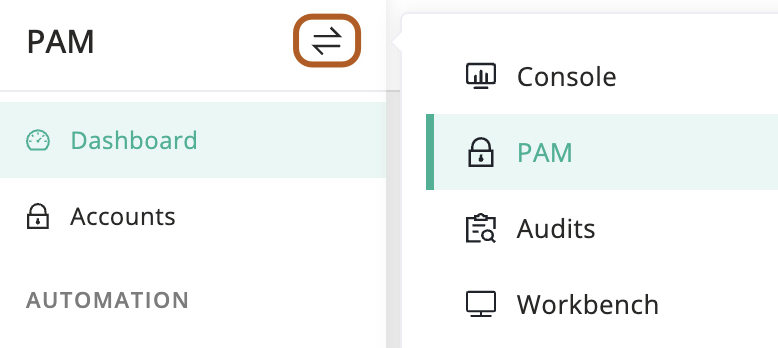
2
In the left menu, click Applications.
3
On the right page, click the Applications tab.
4
Click + Create.
5
In the Name field, type the application name.
6
In the Logo field, upload the application logo.
7
In the Account field, select one of the options: "All accounts", "Specific accounts", or "Filter by attribute".
8
In the Access IP field, type the IP address or range allowed to access the application.
9
In the Active field, check to enable the application.
10
In the Description field, type the application description.
11
Click Submit.