

Delete users
Tip
If you only want to temporarily prevent a user from logging in, please refer to Enable or disable users.
Warning
Deleting a user will also remove all associated authorizations and cannot be undone. Please confirm before proceeding.
Delete a user
1
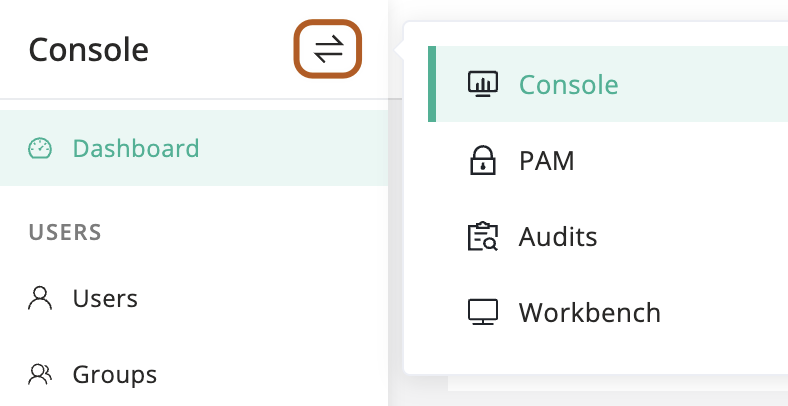
At the top-left of the page, select , then click Console.
2
In the left menu, click Users.
3
In the user table, find the user that you want to delete.
4
In the Actions column, click the ··· icon, then click Delete.
5
Confirm the information and click OK.
Bulk delete users
1
At the top-left of the page, select , then click Console.
2
In the left menu, click Users.
3
In the user table, check the users you want to delete.
4
Above the table, select Actions button, then click Delete selected.
5
Confirm the information and click OK.