User login ACL
Only system administrators have permission to manage users’ Login ACLs.
Create user login ACL
At the top-left of the page, select , then click Console.
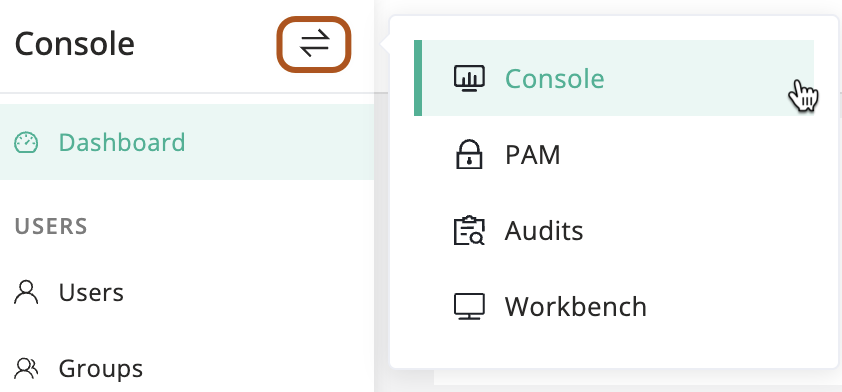
In the left menu, click Users.
In the user table, click the name of the user you want to manage.
On the user details page, click Login ACLs tab.
Click + Create.
Type the login ACL information. About login ACL parameters, see Login ACL parameters reference.
Click Submit.
Login ACL parameter reference
Name
The name of the login ACL.
Priority
The priority of the login ACL. A lower value indicates a higher priority.
User
The user to whom the login ACL applies.
- All users: The login ACL applies to all users.
- Specified user: The login ACL applies to the specified user.
- Filter by attribute: The login ACL applies to users filtered by the specified attribute.
IP
The IP address or IP address range to which the login ACL applies. You can specify multiple IP addresses or IP address ranges.
* indicates all IP addresses.
Time period
The time period during which the login ACL is effective. You can specify multiple time periods.
Action
The action to be taken when the login ACL is matched.
- Reject: Deny the user login.
- Accept: Allow the user login.
- Review: Require manual review for the user login.
- Notify: Send notifications to the configured recipients for user login events.
Active
Specifies whether the login ACL is active.
Description
The description of the login ACL.