

Account Reports
Audit reports require JumpServer Enterprise Edition. Raw session and log evidence remains available according to your deployment configuration.
Account Reports summarizes managed accounts and the automation that maintains them. Use it to review account inventory and connectivity, password-change activity, and the outcome of push, discovery, backup, risk-detection, and secret-change tasks.
Open the page from Audits > Report > Account Reports.
Report types
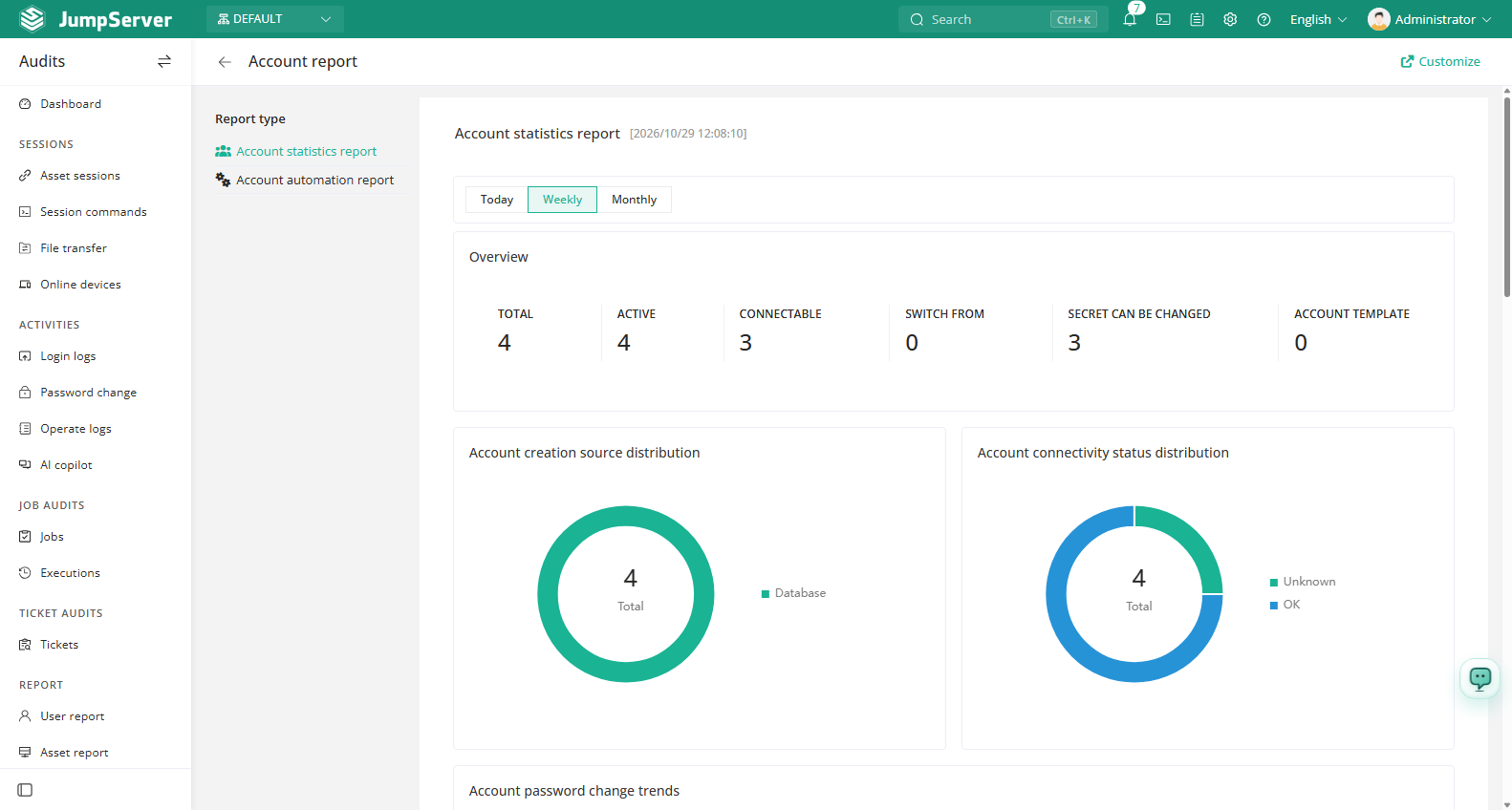
- Account statistics report — inventory and connectivity, creation sources, password change trends, and rankings by asset account count.
- Account automation report — risky accounts, automation task execution trends, and account secret change results.
Prerequisites
- A valid enterprise license. Without a license, the Report area is not available.
- An audit role with the
rbac.view_accountstatisticsreportorrbac.view_accountautomationreportpermission.
Read the account statistics report
Select Account statistics report in the left panel.
Choose Today, Last 7 days, or Last 30 days.
Review the overview counters: total, active, connectable, switch from, reset secret, and account templates.
Read the creation source, connectivity status, and password change trend charts, then check the ranking tables.
Read the account automation report
Select Account automation report to see the outcome of automation rather than inventory. The overview counts push accounts, risk detection, account backup, discover accounts, and change secrets tasks. The Risky account section lists risky account categories and counts, Task execution trends shows automation activity over time, and Account secret change success/failure shows the result distribution.
Field reference
Notes
Customize controls which charts and tables the report displays. For record-level action, open Account Activities or Change Secrets.