

Jobs
Jobs stores repeatable operations so that targets, run user, and content are reused on every run. A job is either a script that runs directly on the assets or a Playbook that orchestrates multiple steps. Saving a job is the right choice for routine checks, batch configuration, and any operation that is executed more than once.
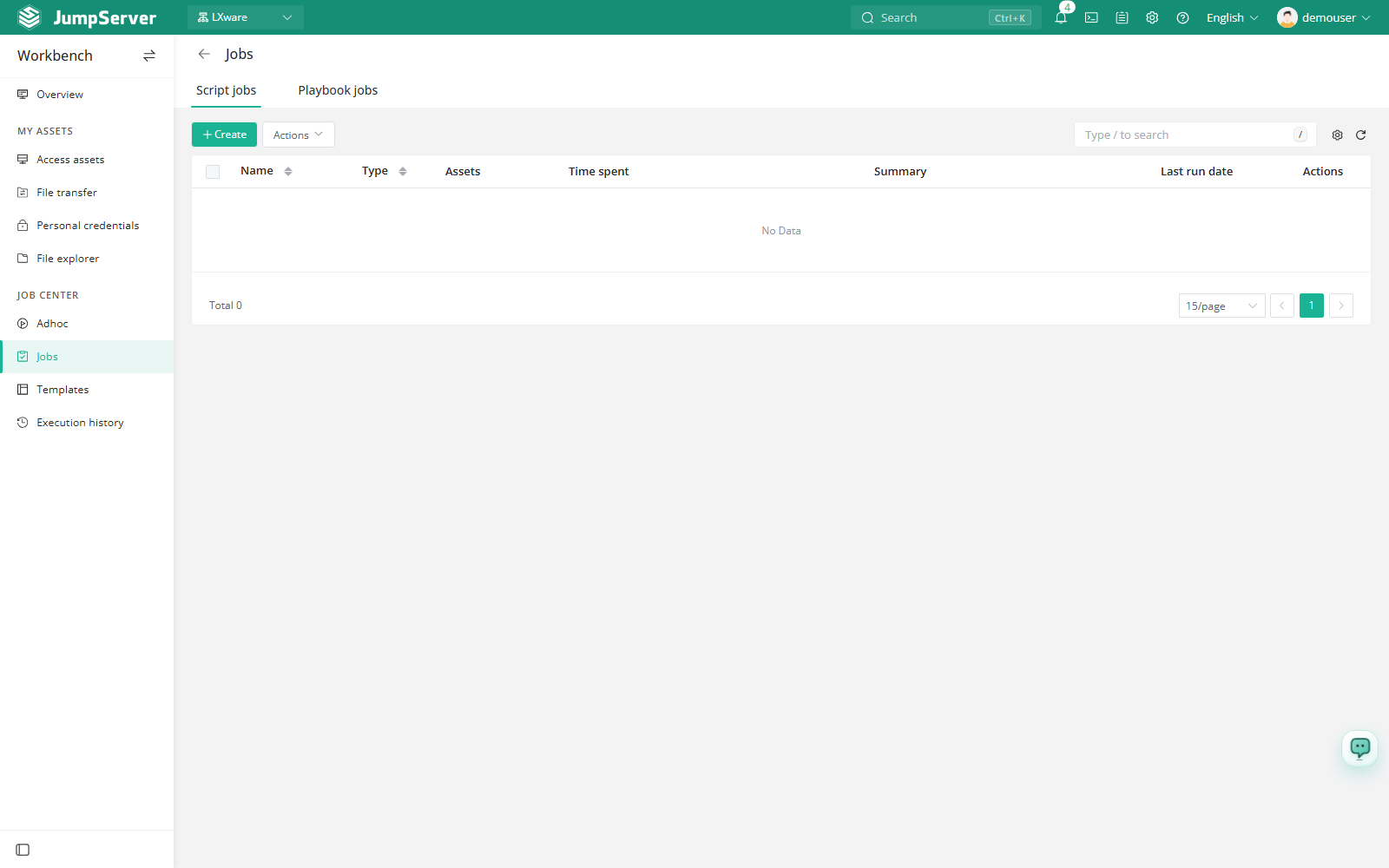
The page has two tabs: Script for command jobs and Playbook for Playbook jobs. The list shows how many assets each job covers and how its last run went.
Prerequisites
- The Job Center feature is enabled in Feature Settings.
- Your account is authorized for the assets the job targets.
- For Playbook jobs, at least one Playbook template exists in Templates.
Create a job
Open the Script or Playbook tab and click Create.
In Basic, enter a name. Choose the assets or nodes that the job runs on, the run user, and the account policy.
On the Task step, select a module and write the script, or load content from a template. For Playbook jobs, select the Playbook instead.
Add any variables used by the template or Playbook. Optionally set the run directory and timeout.
In Plan, enable Periodic to repeat the job with an Interval or a Crontab expression, or leave it disabled for manual runs.
Add a comment if needed, then click Submit, or click Execute after saving to run the job immediately.
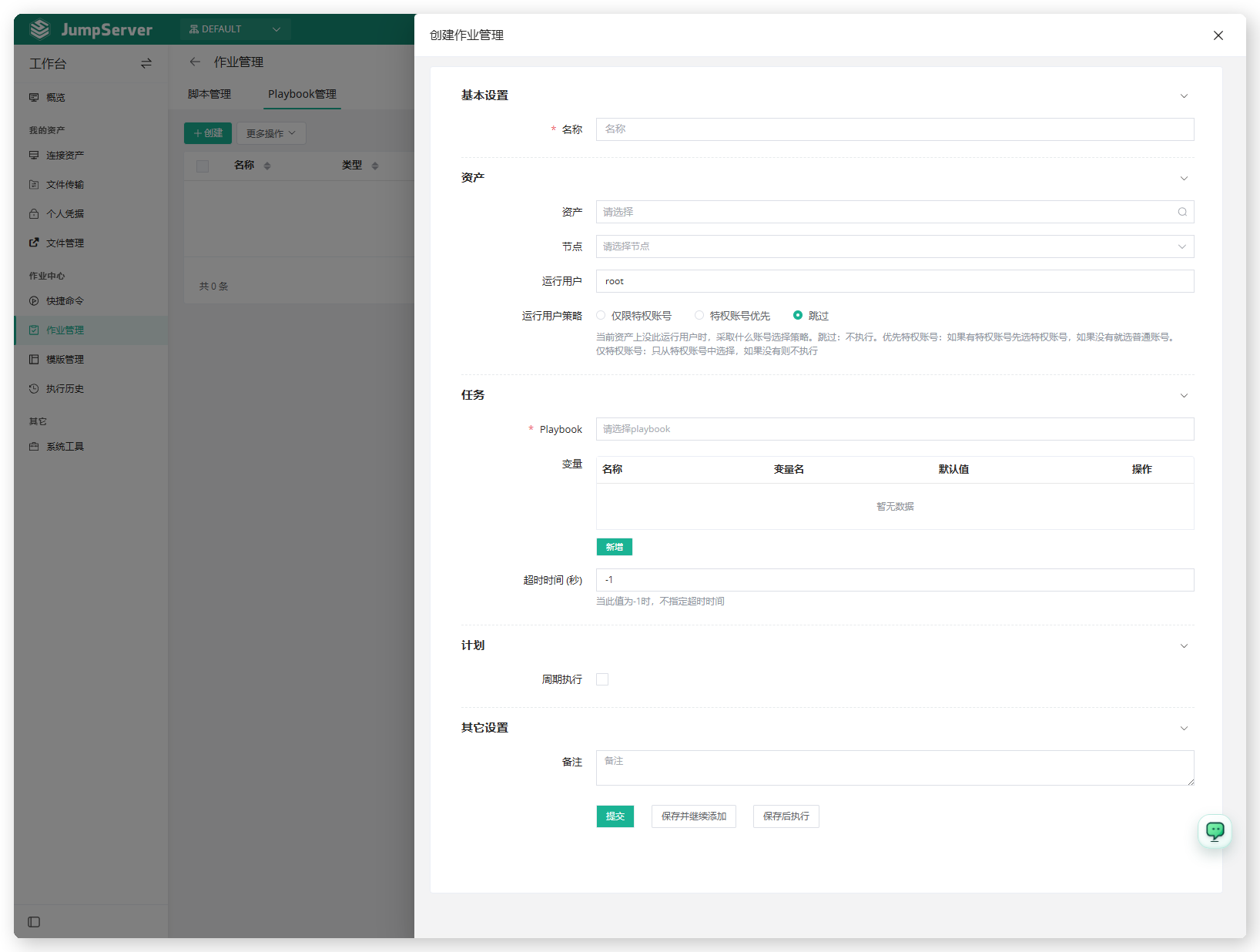
Job parameters
Run a job
Use Execute in the row actions. If the job defines variables, a dialog asks for their values first; otherwise the run starts immediately. The run opens the task page so you can follow the output. After it finishes, the Summary column shows the ratio of successes to total targets, and Date last run records when the job last executed.
If a job is periodic, it runs on its schedule without manual action. Disable Periodic and save to stop future scheduled runs.
Column reference
Running and editing jobs is disabled while the global (root) organization is selected. Switch to a specific organization before executing a job.
Every execution is recorded in Execution History. Auditors can review the same runs from Job Audits.