

Components
Components is the control plane for JumpServer's terminal and client components. It defines how components register, which client connection methods are exposed to users, which storage each component uses, and how users reach the service through endpoints.
Overview
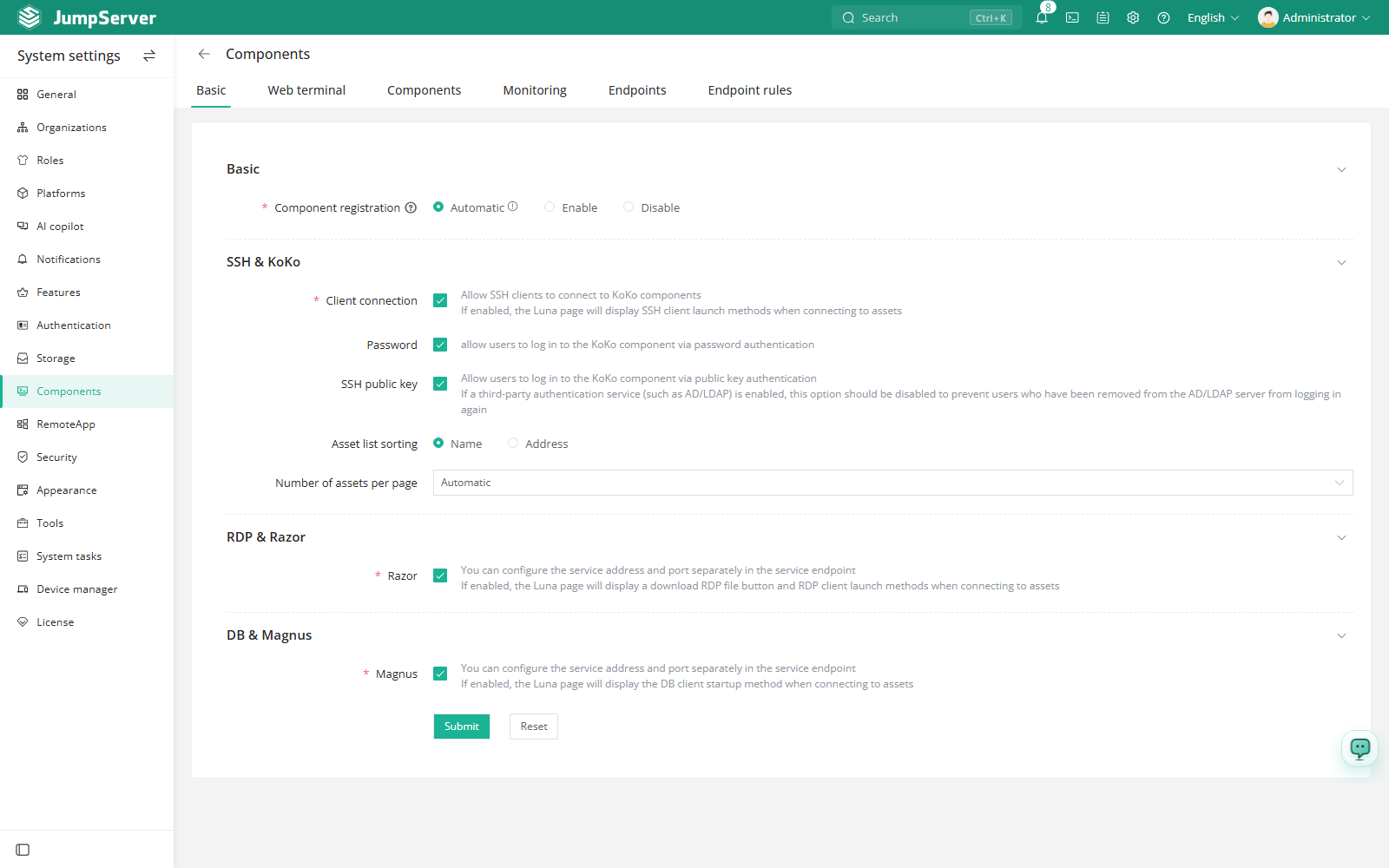
The page is organized into tabs:
Basic settings
In the right area of the top navigation bar, click .

Component list and storage
Open the Components tab to see every registered component. From the actions
menu of a component you can change its Replay storage and Command
storage. Recordings default to the local disk and command records default to
the database; select an entry configured in
Storage to offload them, or null to skip
storage.
Offline components can be deleted from the same list once they are no longer needed.
Monitoring
The Monitoring tab aggregates component health. Each component type reports the number of instances in normal, high-load, serious, and offline states, and the number of active sessions it currently serves. Use it to decide when to add a Koko, Razor, or Magnus node.
Endpoints and endpoint rules
An endpoint is an address and port through which users reach the service. When a user connects to an asset, JumpServer selects an endpoint using endpoint rules and asset labels, and opens the connection through it. This is how distributed deployments route sessions to the nearest gateway.
Create an endpoint on the Endpoints tab: set a name, a host, and the HTTP, HTTPS, SSH, RDP, VNC, or Magnus port that applies. Leave the host empty to reuse the address of the current browser. The default endpoint cannot change its host.
On the Endpoint rules tab, create a rule with:
Asset labels take precedence over rules: an asset tagged endpoint with the
name of an endpoint is always routed to that endpoint. Use labels for specific
assets and rules as the general fallback.