

Adhoc
Adhoc runs a command once against one or more authorized assets. It is the fast path for day-to-day operations: select the targets, enter the run user and the command, execute, and read the result per asset without logging in to each machine. Nothing is saved unless you choose to save the command as a template.
Prerequisites
- The Job Center feature is enabled by an administrator in Feature Settings. When it is disabled, the Job Center entries are hidden.
- Your role grants the permissions required to view and execute jobs.
- Your account is authorized for the target assets, including the account you intend to run as.
Execute a command
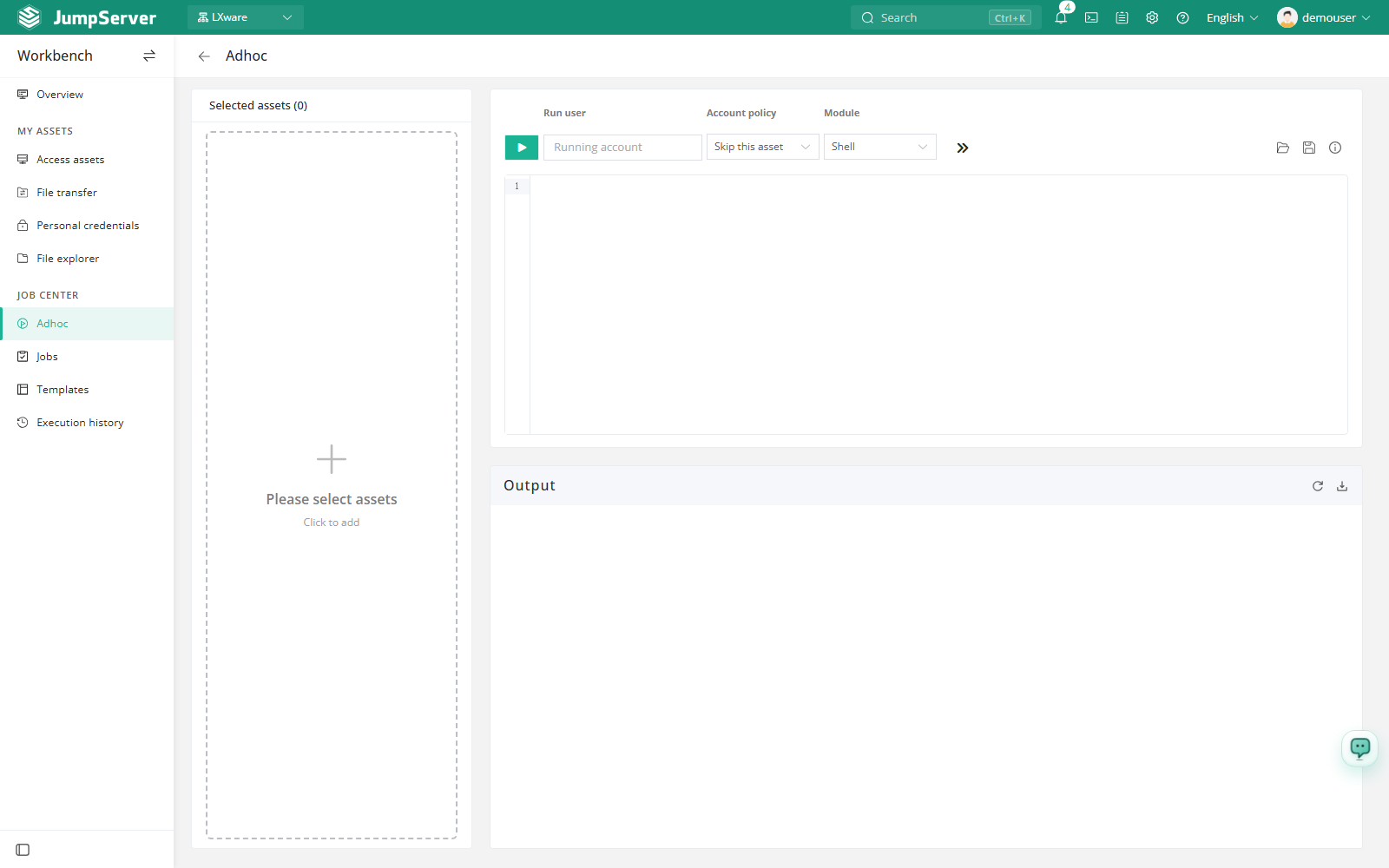
In Selected assets, click Select assets and choose one or more authorized hosts or nodes. The selected targets appear in the list.
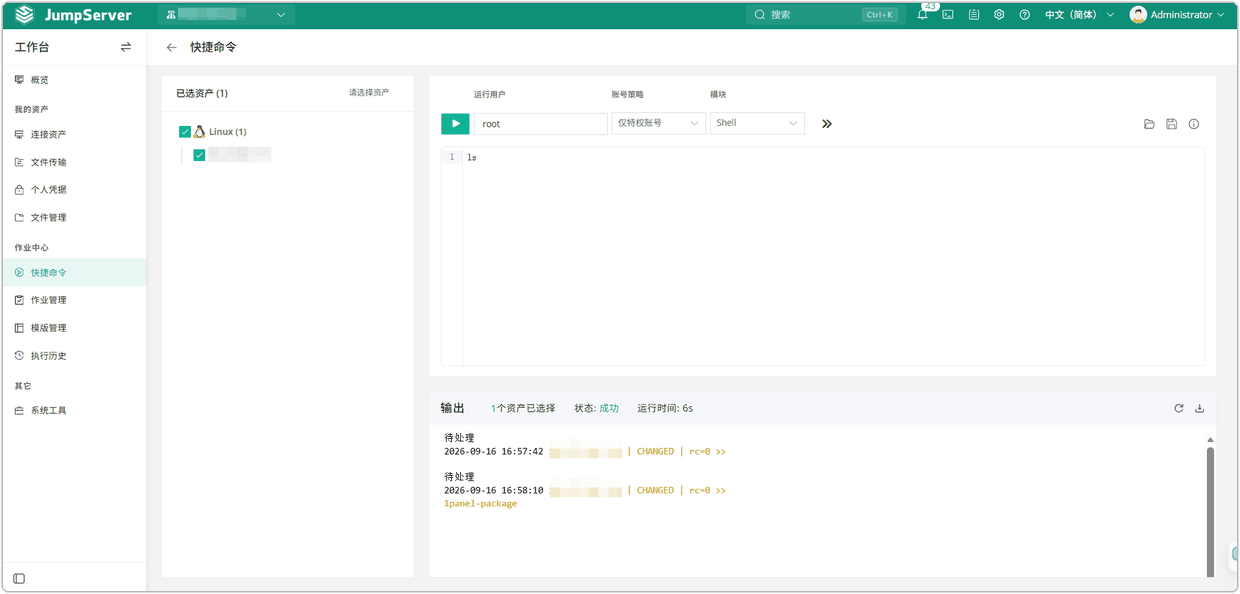
Enter the Run user, for example root. Autocomplete suggests usernames that
exist on the selected assets.
Choose an Account policy for assets where the run user does not exist.
Choose the Module that matches the command: Shell, Powershell, Raw, Python, MySQL, PostgreSQL, SQL Server, or CloudEngine.
Type the command in the editor. Optionally set a timeout and a running path, then click Execute.
If some assets cannot run the command, review the runnable and unrunnable lists and confirm the remaining targets. Output streams into the terminal below.
Field reference
The toolbar also provides Open command to load a saved script template, Save command to store the current command as a template, and a help entry for template variables. Commands loaded from a template prompt for any variables before running.
Notes
The command executes immediately on every selected asset. Check the command text and the target list before clicking Execute.
Adhoc execution is disabled while the global (root) organization is selected. Switch to a specific organization first. Every run is recorded on Execution History.