

Notifications
Message templates and SMS notifications require JumpServer Enterprise Edition. Email and Subscription notifications are included in Community Edition.
Notifications controls how JumpServer talks to users outside the console. It covers the email account used for transactional messages, SMS delivery for verification codes and password recovery, and the subscription rules that decide who receives platform alerts.
Overview
The page has separate tabs for each delivery channel:
Configure the email service
Email is strongly recommended: account activation, password reset, authorization expiry, and security alerts all rely on it.
In the right area of the top navigation bar, click .

In the left menu, click Notifications.
Open the Email tab and enter the mail server settings described in the field reference.
Enter a test address in Recipient, then run the email test to confirm that the server accepts the configuration.
Click Submit.
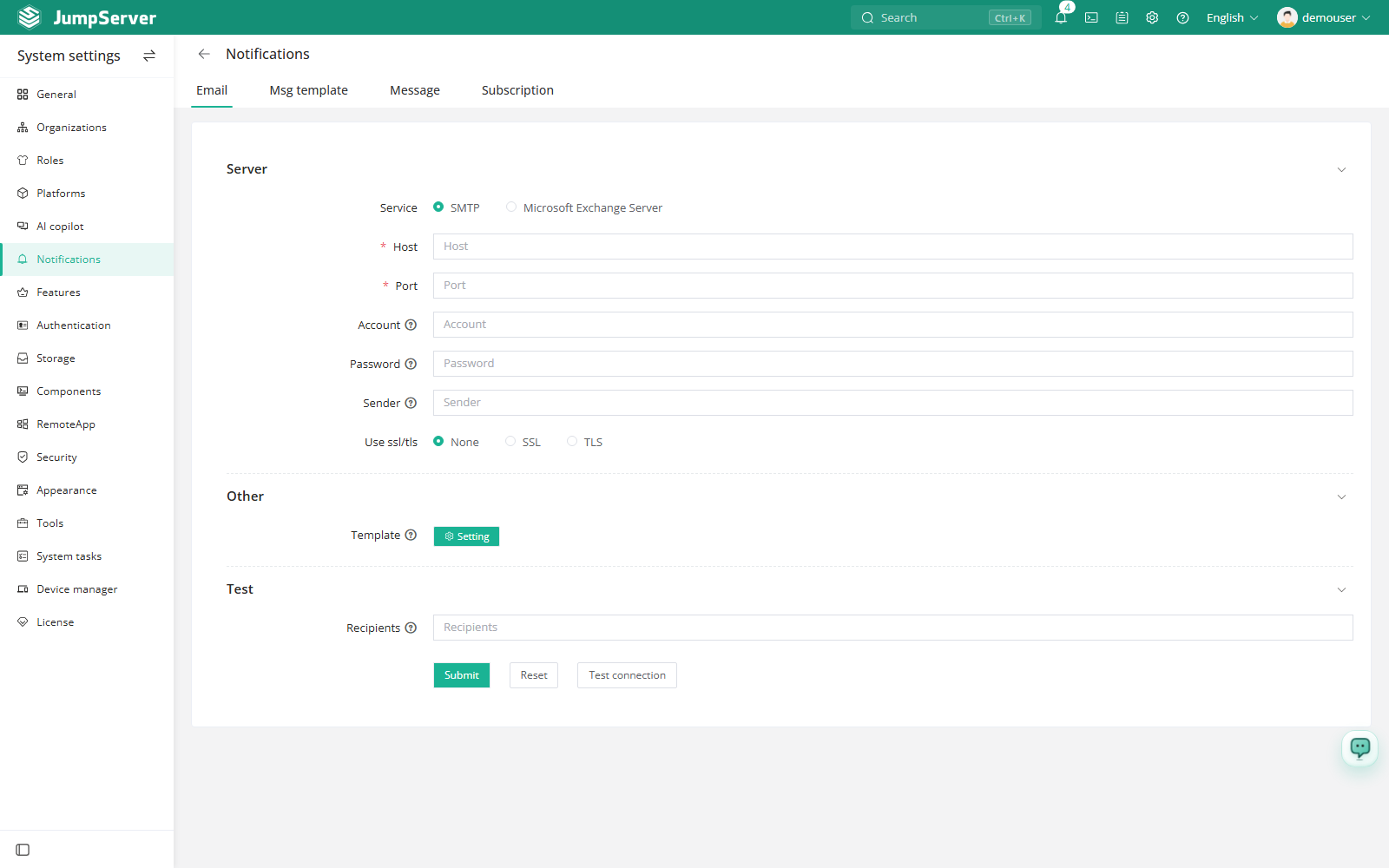
Email field reference
Configure SMS
Open the Message tab and enable SMS.
Select the provider: Alibaba Cloud, Tencent Cloud, Huawei Cloud, CMPP v2.0, or a custom integration.
Fill in the provider credentials and set the verification code length, then use the test button to send a message to your own number.
Click Submit.
For SMS-based MFA, each user must first record a phone number in Profile and enable SMS as an MFA method. The global MFA policy is configured in Security.
Configure subscriptions
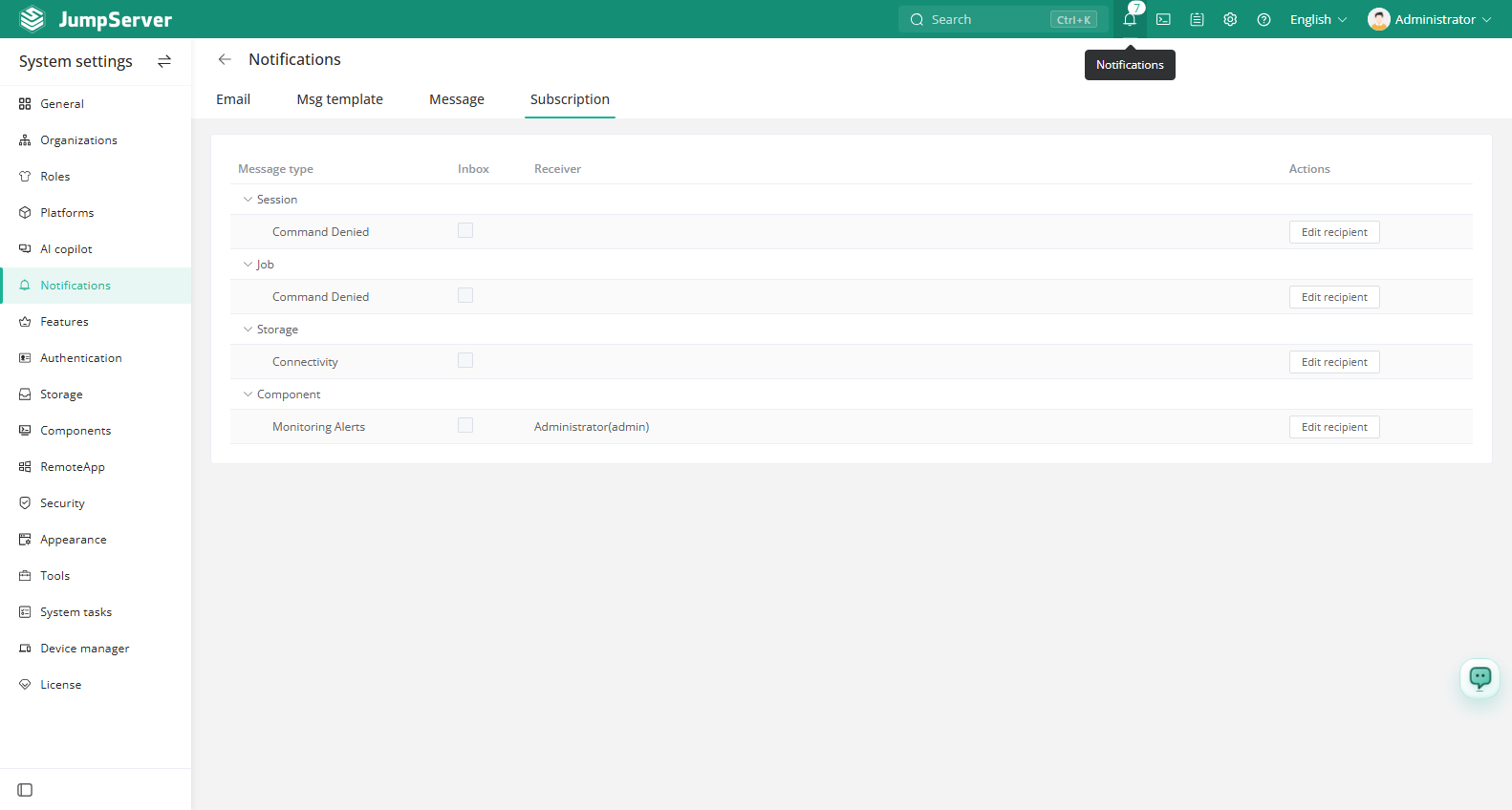
The Subscription tab decides which monitoring messages are delivered and through which channels. Inbox messages are always delivered; for each message type you can enable additional backends such as email, and use Edit recipient to choose the users who receive that type.
Submit the email configuration before testing. The email and SMS services are used by password recovery, so confirm the Site URL is correct as well.