

Connection Settings
Client settings are local to the desktop application. Open the file menu at the top-left and select Connection Settings.
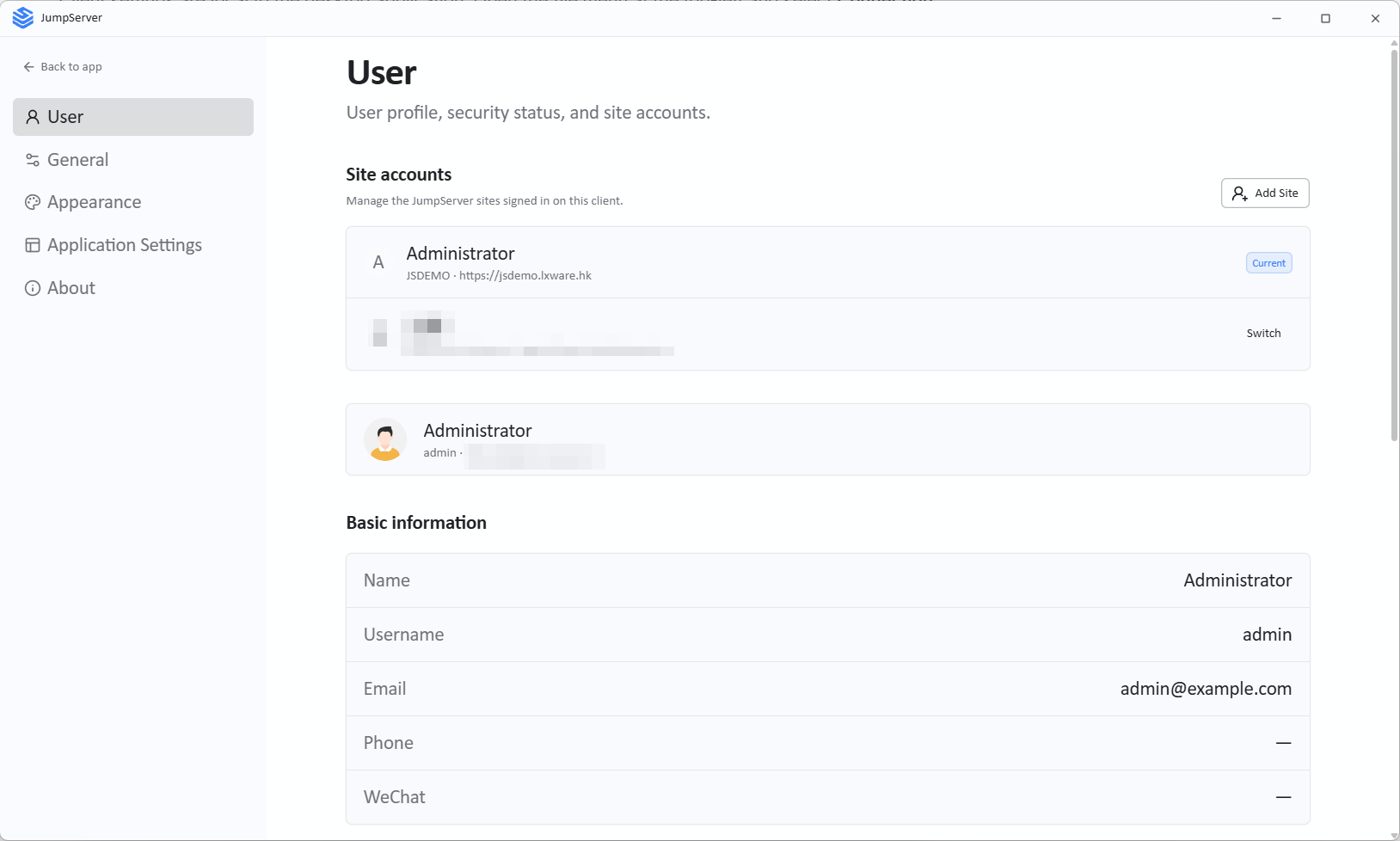
User information
The user information page shows the account currently signed in to the client and the associated account details.
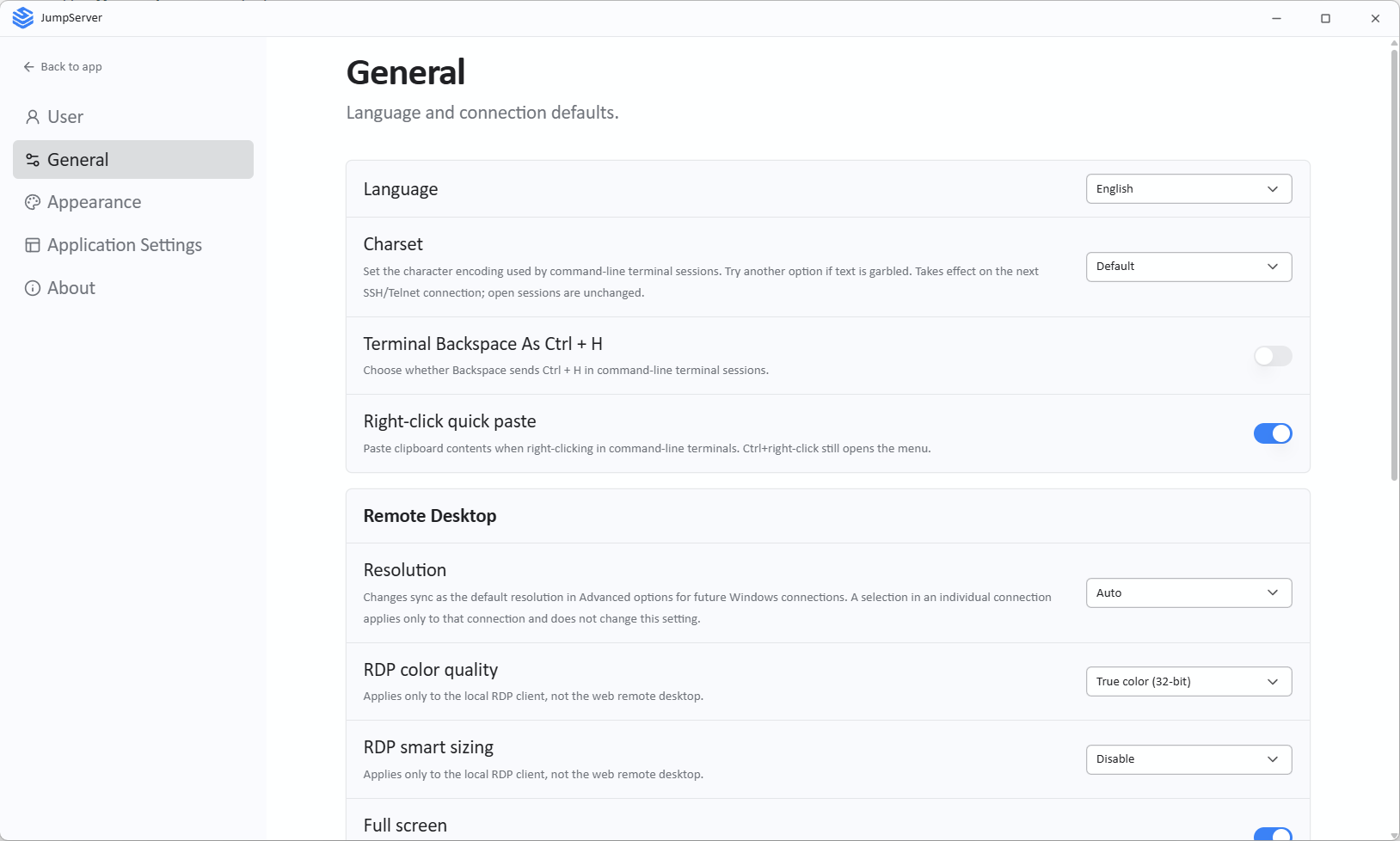
General
The General page controls:
- Interface language
- Character set
- Character terminal behavior
- Session resolution
These defaults apply to new sessions opened from the client. A session can still have its own protocol-specific options.
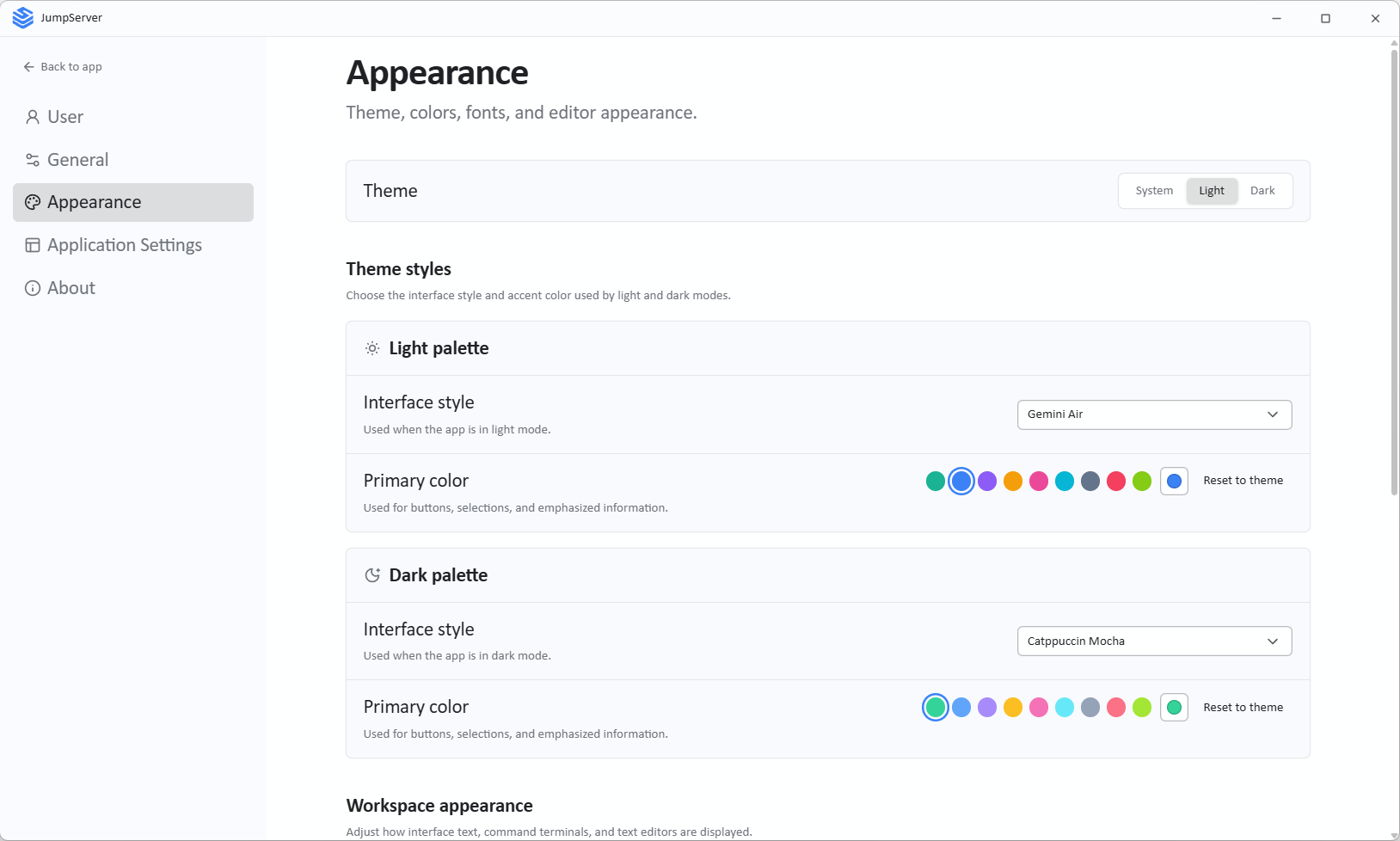
Appearance
The Appearance page controls the client's visual theme:
- Appearance color mode
- Primary color
- Font
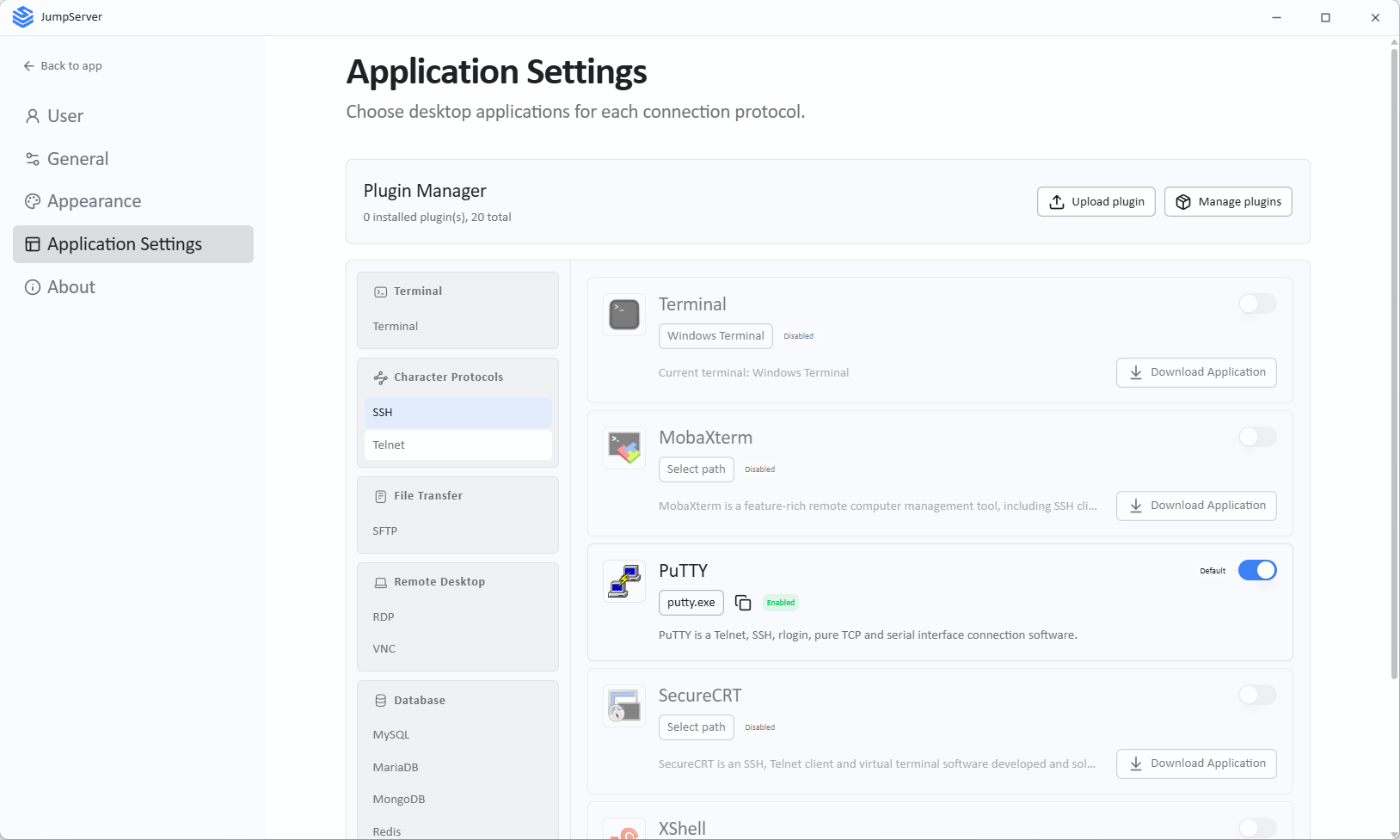
Application configuration
Changed in v5.1.0Local applications are used for database and application connections. Configure the executable path for each application you use. DBX replaces DBeaver as the default remote database application, so database sessions open in DBX unless another application is configured for that database type.
- Open Application Configuration.
- Select the application or database type.
- Download and install the application if needed.
- Select Select Path and choose the installed executable.
If an application is not installed, use the download link shown in the client, then return and set the path.
Notes
- Settings apply only to the current desktop client profile, not to other users.
- Application paths must point to a local executable that the client can launch.
- If a connection method is missing, verify both the component configuration on the server and the local application path.