

Web Terminal Settings
Web Terminal settings control the browser workspace and its connection defaults. They are local to your account and do not change the server configuration.
Open settings
Select your avatar in the top-right of the Web Terminal, then select Settings.
You can also press Ctrl + ,.
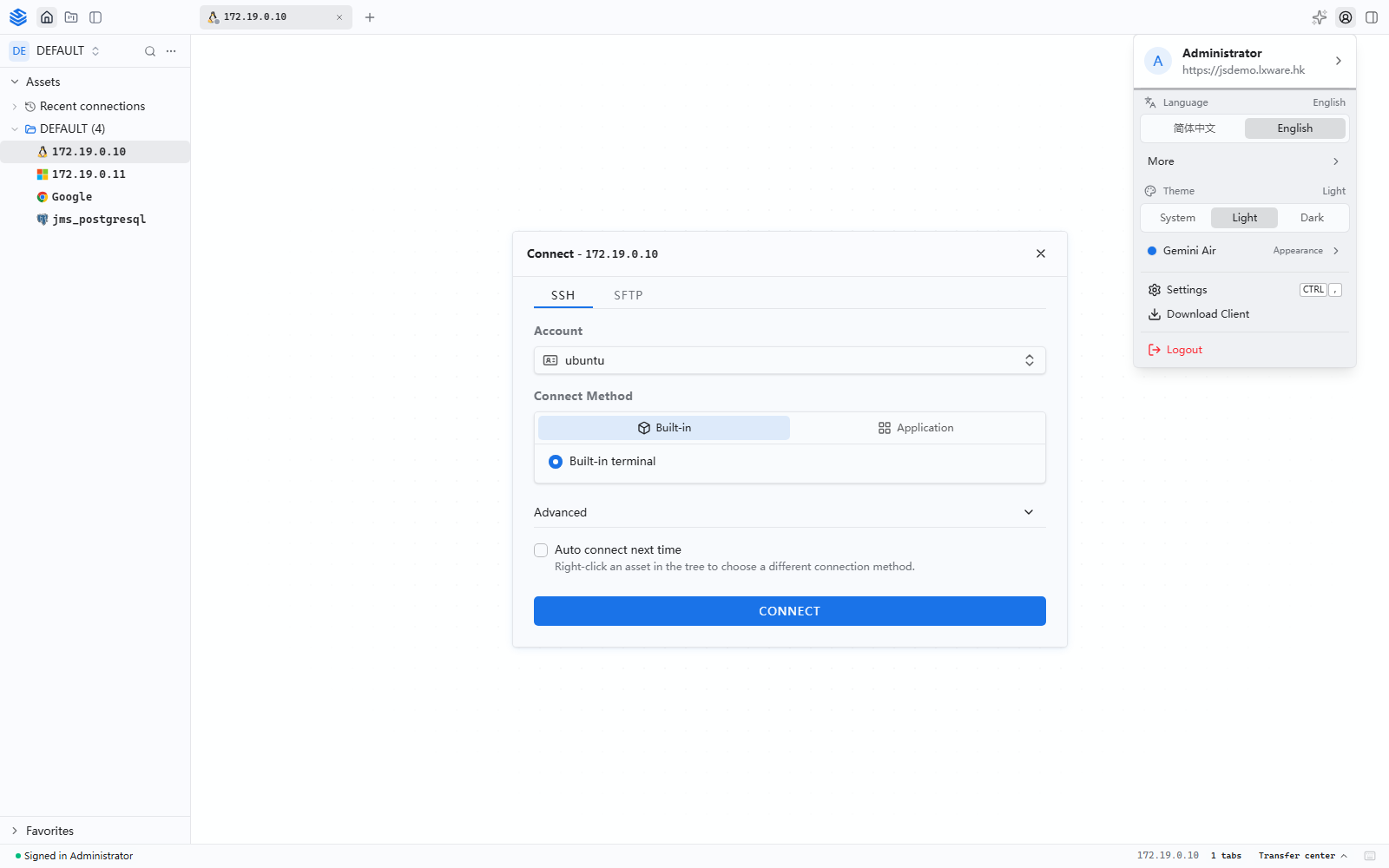
The personal menu also provides quick access to Language and Theme.
User
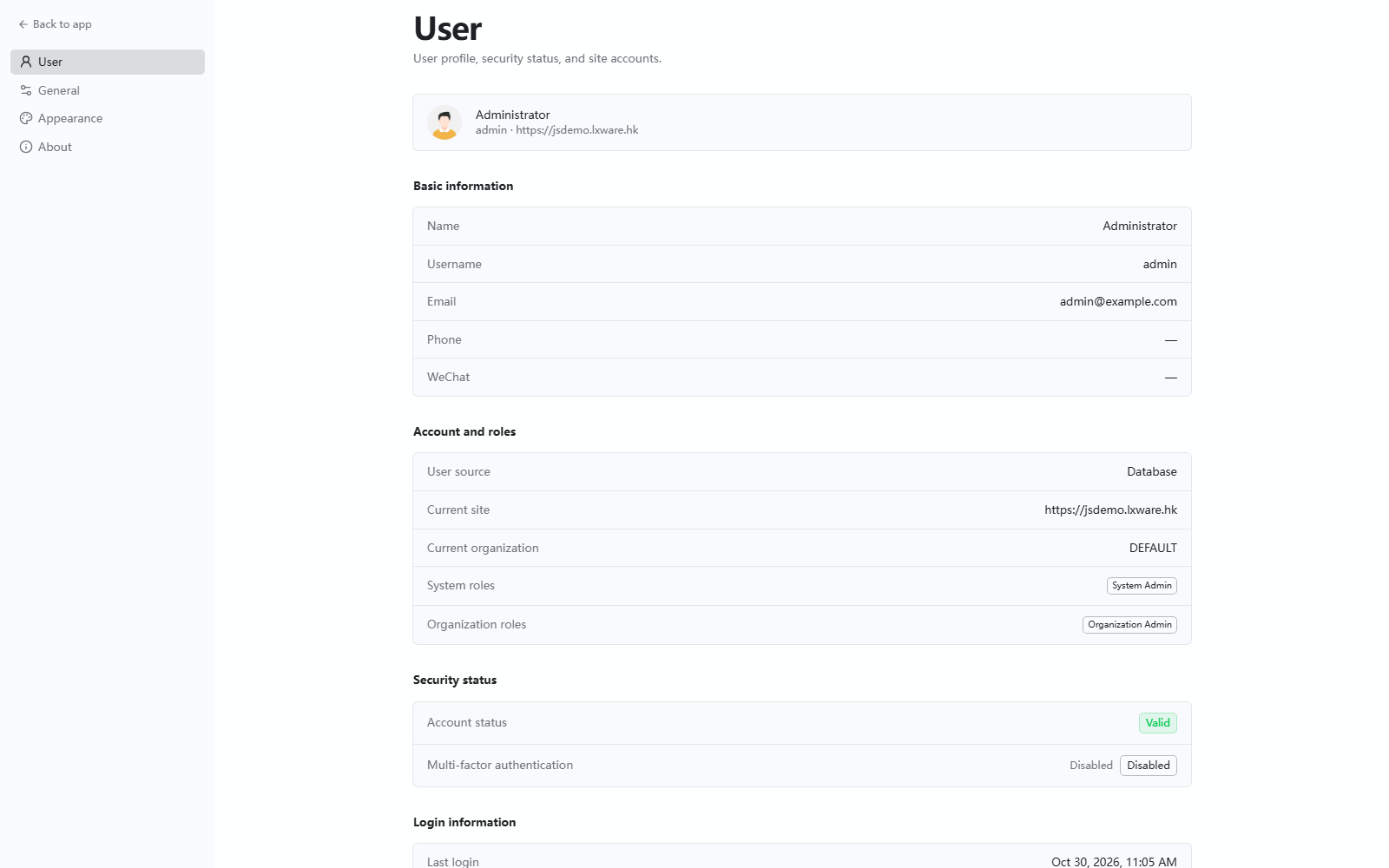
The User page shows the signed-in account:
- Name, username, email, phone, and WeChat
- User source, current site, current organization, system role, and organization role
- Account status and whether MFA is enabled
General
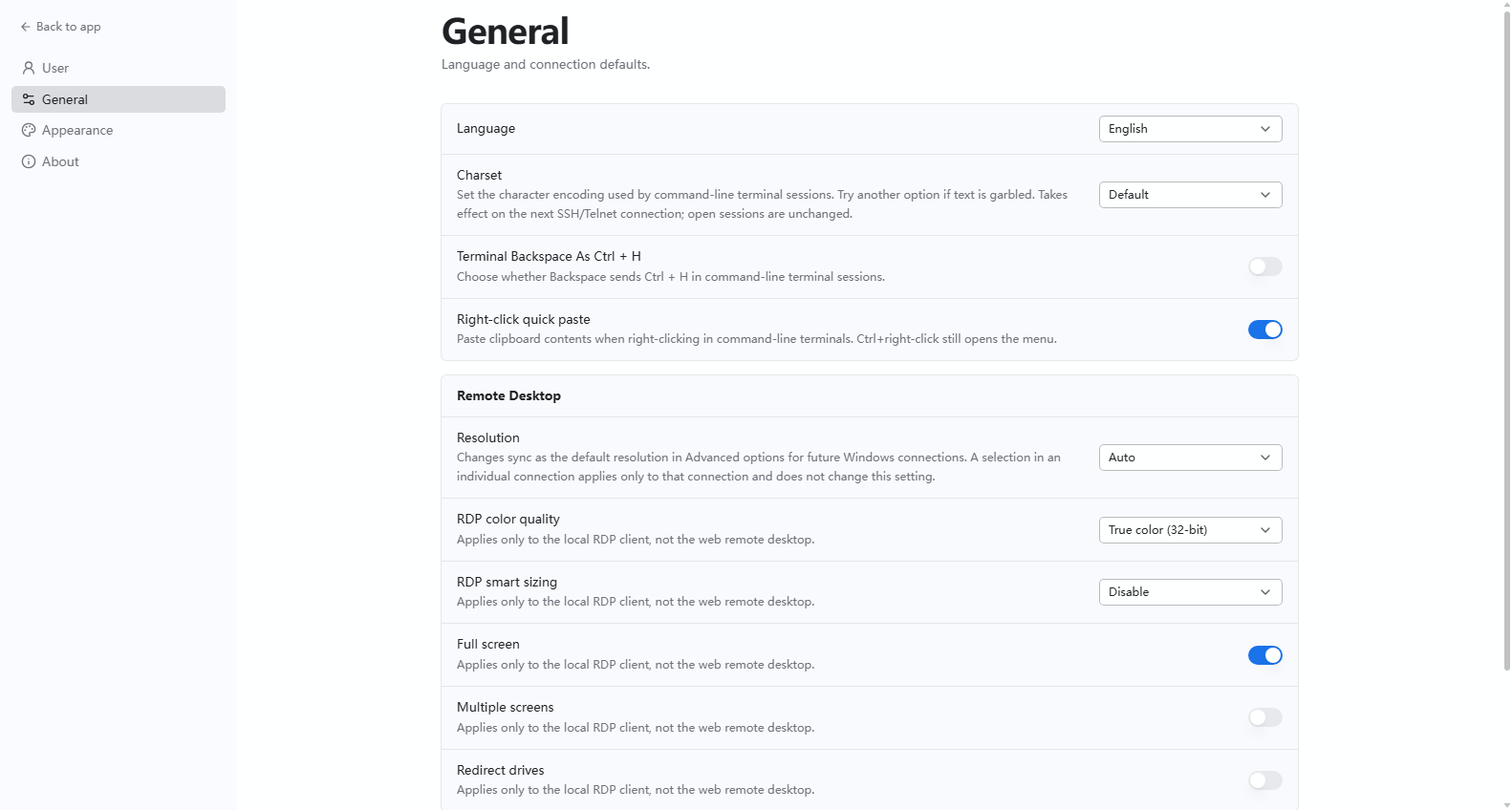
The General page controls connection defaults:
- Language — Web Terminal display language
- Character set — encoding for command-line sessions; applies to the next SSH or Telnet connection
- Backspace as Ctrl + H — change this when the Backspace key behaves incorrectly
- Right-click paste — paste on right-click, or open the terminal menu
- Resolution — display resolution for remote desktop sessions
- Terminal command hints — show command and history suggestions; clear recorded history when needed
Appearance
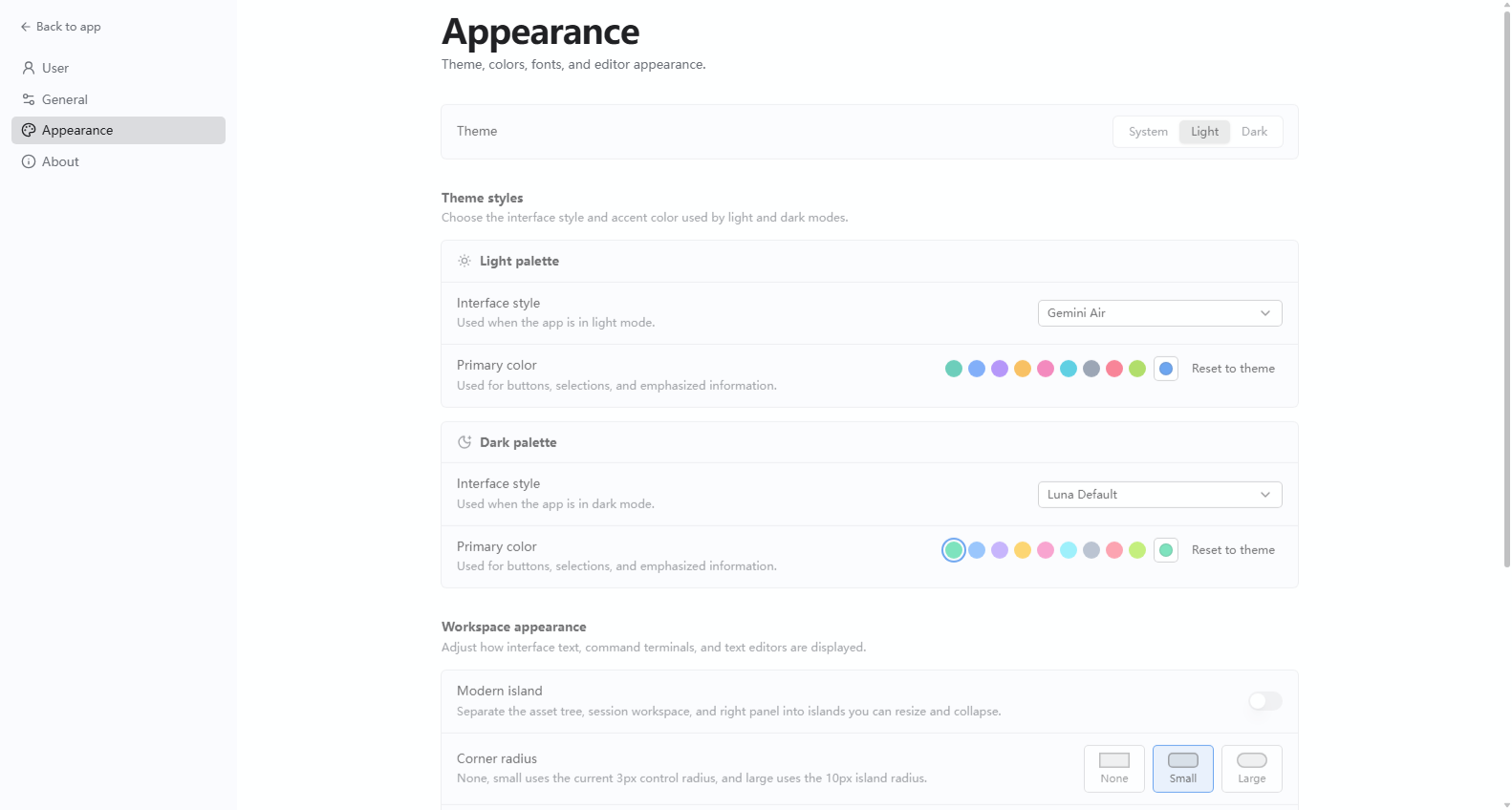
The Appearance page controls the visual workspace:
- Theme — system, light, or dark
- Theme style — separate styles and primary colors for light and dark modes
- Modern split — separate the asset tree, session area, and right panel with resizable and collapsible regions
- Corner radius — none, small, or large
- Interface font and UI font size
Tab grouping
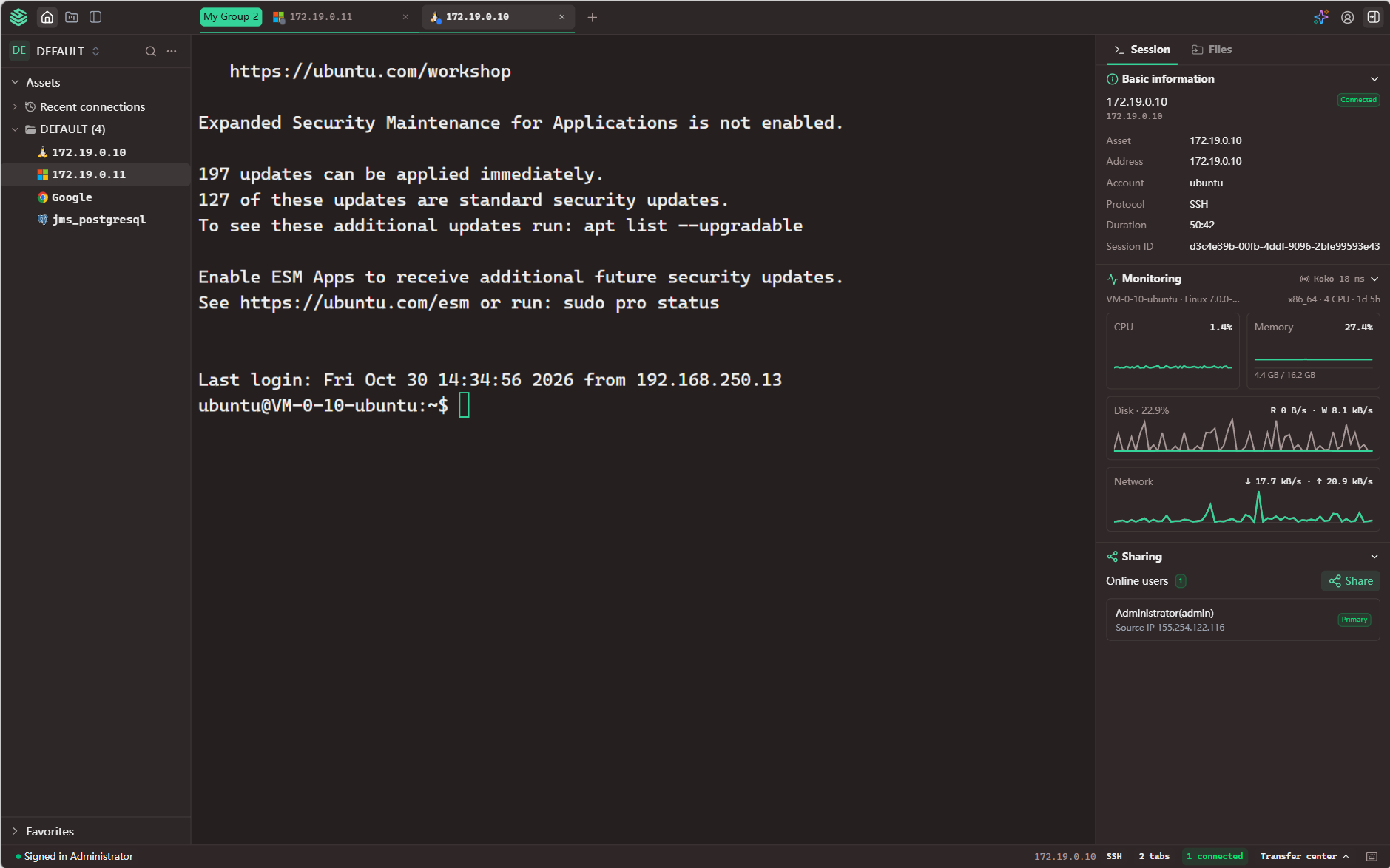
New in v5.1.0Session tabs support persistent grouping. Drag one tab onto another tab to put them in a group, and the groups are restored the next time you open the Web Terminal in a future session.
Each tab in a group keeps its own session and connection, so grouping changes how the tabs are arranged rather than how the sessions behave. Closing a grouped tab removes it from the group.
Notes
- Changing the character set affects new SSH or Telnet sessions; open sessions keep their current encoding.
- Theme and language changes apply immediately and do not require reconnecting an asset.
- Settings are personal. They do not change the Workbench, Console, or another user's Web Terminal.