

Risk Detection
Risk Detection requires JumpServer Enterprise Edition. Without a license, the Security > Risk Detection tabs are disabled.
Risk Detection checks the credentials of accounts already managed by JumpServer for weaknesses such as short or simple passwords, passwords reused across accounts, and passwords that appear in common leak lists. It does not connect to assets to discover accounts; the accounts must already be inventoried and have credentials configured.
Use it together with Discover Accounts when you need to compare managed accounts against what actually exists on the servers.
Prerequisites
- Access to PAM > Security > Risk Detection with permission to view detection results and tasks.
- Target assets or nodes exist and their accounts are managed with credentials. See Accounts.
- At least one detection engine is enabled.
Overview
The page contains four tabs:
- Detection results – risks found by executed detection tasks.
- Detection tasks – task definitions and their schedule.
- Execution history – per-run status, duration, and log.
- Detection engines – the checks available in this environment.
Create a detection task
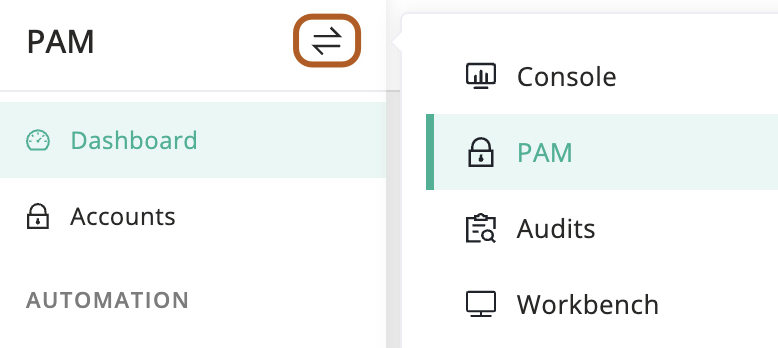
At the top-left of the page, select , then click PAM.
Open Security > Risk Detection and select Detection tasks.
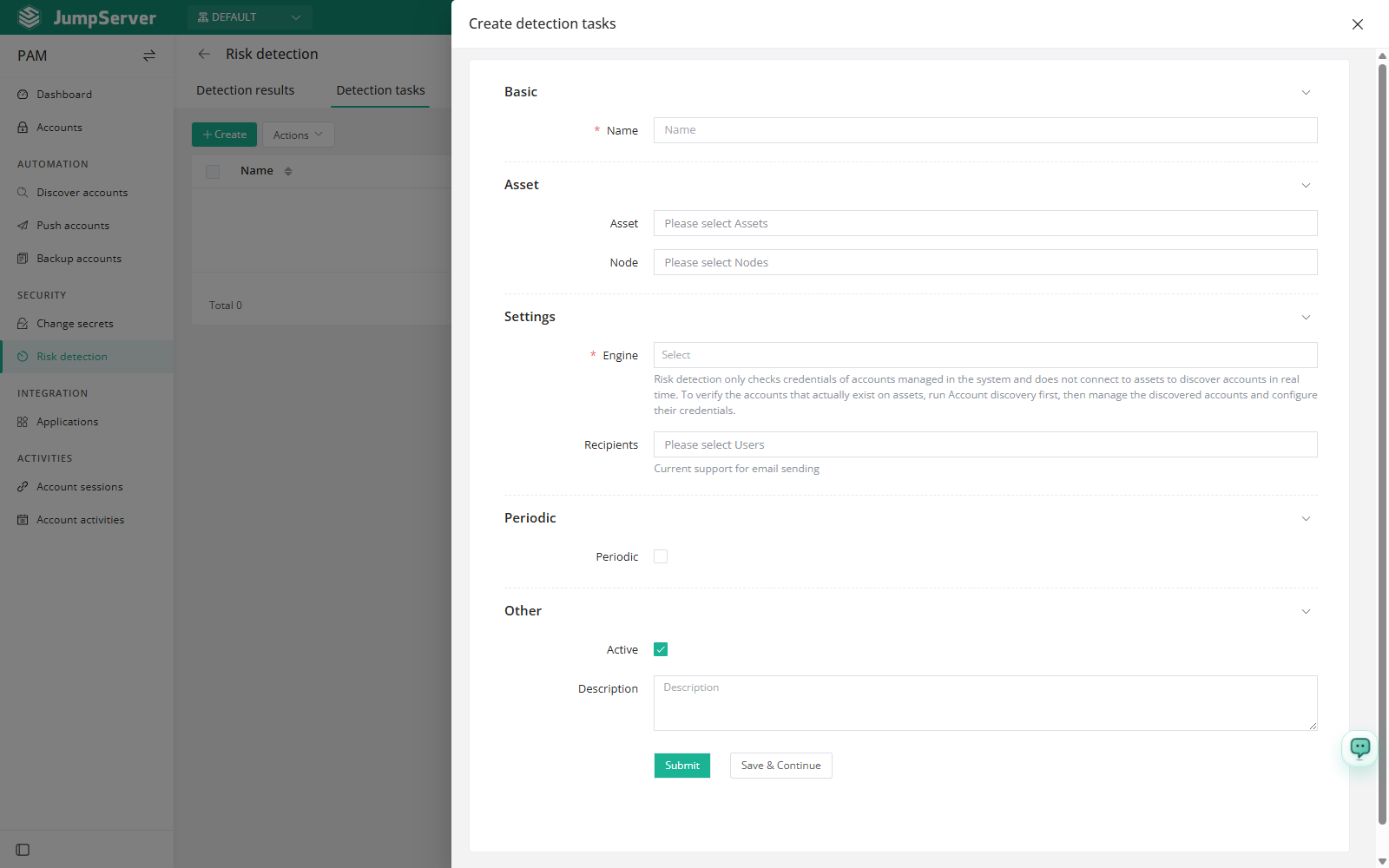
In the Assets and Nodes fields, select the scope to check. The two fields can be combined.
In the Engines field, select one or more detection engines. This field is required.
Optionally select Recipients to receive the result by email. Only email delivery is supported.
Optionally enable Periodic and set Interval or Crontab. Keep Active selected and click Submit.
Field reference
An engine only inspects credentials that are stored in JumpServer. If an account exists on the asset but has never been added to the inventory, detection cannot see it. Run a discovery task first.
Review and resolve results
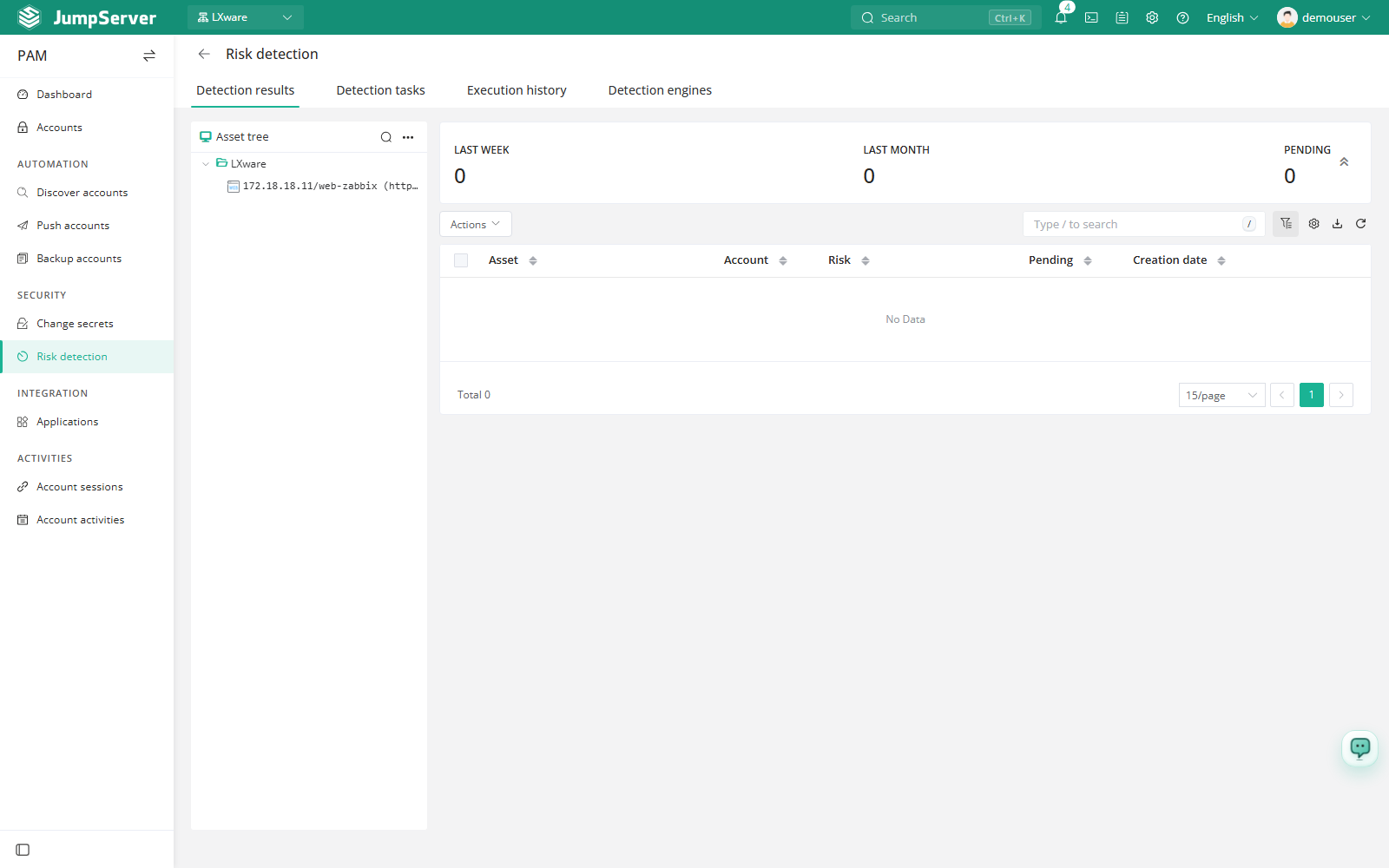
Open Detection results after a task has run. The left side is an asset tree with summary counts for the last week, the last month, and pending risks; the table lists Asset, Account, Risk, Pending, and Date created.
For a pending risk, open the Actions menu in the Pending column and choose the action that matches the finding:
From the review view, Close confirms the finding and moves the status to confirmed, while Ignore alert marks it ignored. To handle several findings at once, select the rows and choose Resolve selected.
Detection engines
The Detection engines tab lists the engines available in the current environment:
Enabled engines are selected per task, so you can run a lightweight strength-only check daily and a full check on a weekly schedule. Review the result list periodically; a clean run does not prove that every asset account is healthy, only that the managed credentials passed the selected checks.