

System Tasks
System Tasks shows everything that JumpServer runs in the background and lets you control how long the resulting records are kept. Scheduled automations, periodic synchronizations, and cleanup jobs are all listed here.
Overview
The page has two tabs:
Task list
Typical entries include account backup plans, account pushes, connectivity checks, email delivery, directory synchronization, and cloud synchronization. Click a task name to open its detail page with the full execution history and logs.
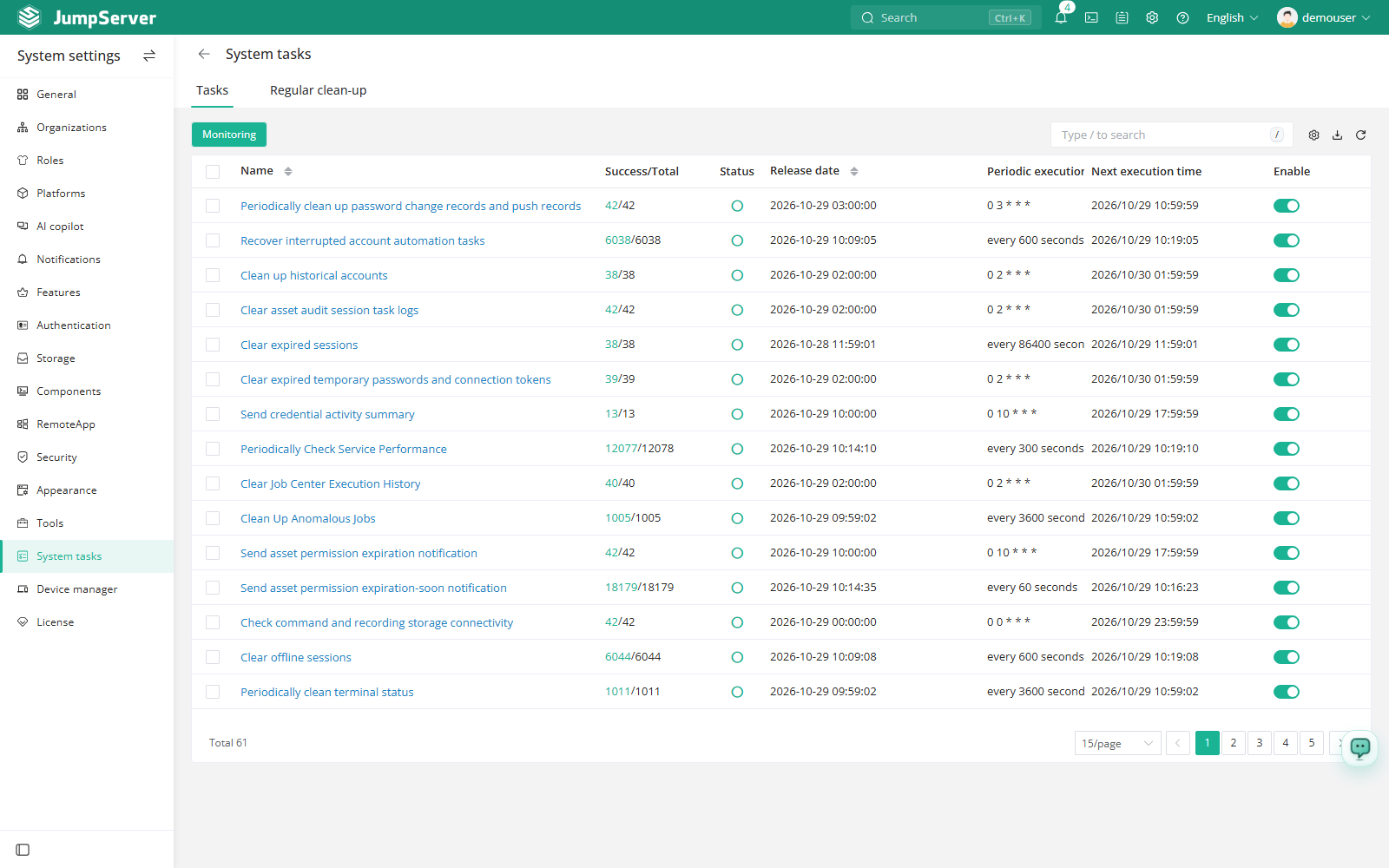
Inspect and control tasks
In the right area of the top navigation bar, click .

Open the Tasks tab. Use the Enabled switch on a periodic task to pause or resume it.
Click a task name to open the detail page. Review the execution history and open a failed run to read its log.
Click Task monitor to open the Celery monitoring page in a new tab and check worker queues and workload.
Celery logs
Changed in v5.1.0Celery logs are consolidated into a single window with separate tabs. Switch between the tabs to read the logs of different tasks instead of opening one window per task.
Regular clean-up
Retention is configured per record type. The defaults are suitable for most deployments; shorten them when local storage grows quickly, and lengthen them when audit requirements demand it.
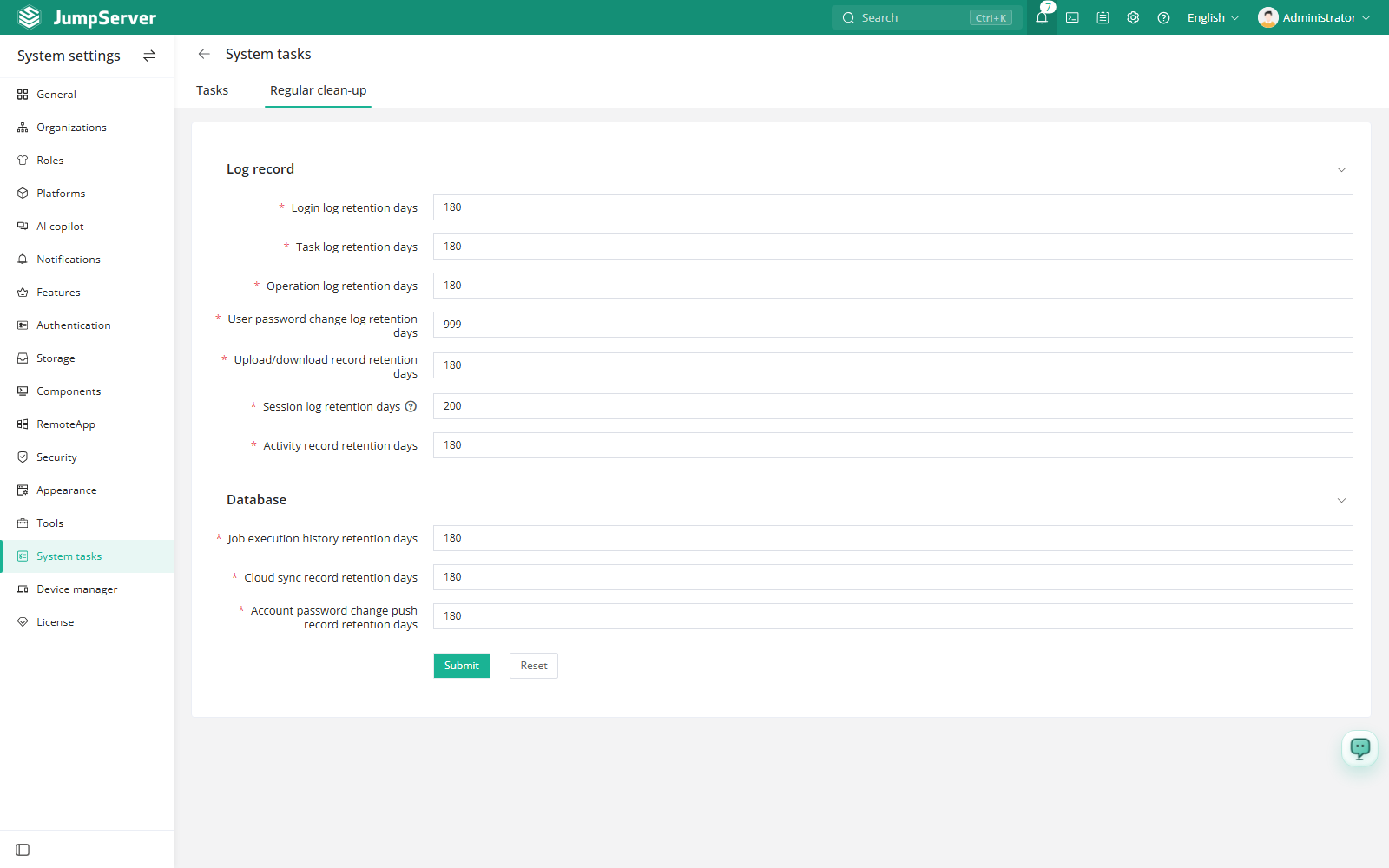
Clean-up settings control local records only. Recordings or command logs that are stored in external storage are governed by the retention policy of that system, and files already removed by a cleanup task cannot be recovered. Verify backups before you shorten a retention period.